
The 7 Best Website Builders to Launch Your Site

Don’t have time to read everything? The best website builders for most users in 2026 are Wix (a cloud-hosted platform) and WordPress (an open-source platform). Shopify remains the top choice for users who want to create an online store.
When creating a website from scratch, it is essential to choose a website builder that aligns with your specific needs and budget.
To help you make an informed choice, we have tried six of the best website builders and compared them.
🥇 Top 7 Best Website Builders in 2026
- WordPress: The best open-source website builder.
- Wix: The best website builder in the cloud.
- Shopify: The best for creating an online store.
- Squarespace: Best choice for photographers, designers, and creatives.
- Hostinger Website Builder: Best choice to build with AI.
- Onepage: Landing pages, sales funnels, and lead generation.
- Webnode: For a simple and affordable website creation.
Best Website Builders Pricing Comparison
With all the website builders available, it’s challenging to decide. Three stand out above the rest: WordPress, Wix, and Shopify. Here you can see a comparison of the prices of each website builder.
| Website builder | Free plan | Free trial | Plans from |
|---|---|---|---|
| 🥇 WordPress | ✔️ | ✔️ | Depends on hosting |
| 🥈 Wix | ✔️ | ❌ | $17/month |
| 🥉 Shopify | ❌ | ✔️ | $39/month |
| Squarespace | ❌ | ✔️ | $25/month |
| Hostinger | ❌ | ❌ | $2.99/month |
| Onepage | ✔️ | ❌ | $19.9/month |
| Webnode | ✔️ | ✔️ | $4.50/month |
1. WordPress
Best for: Building an SEO-focused website with complete design control.
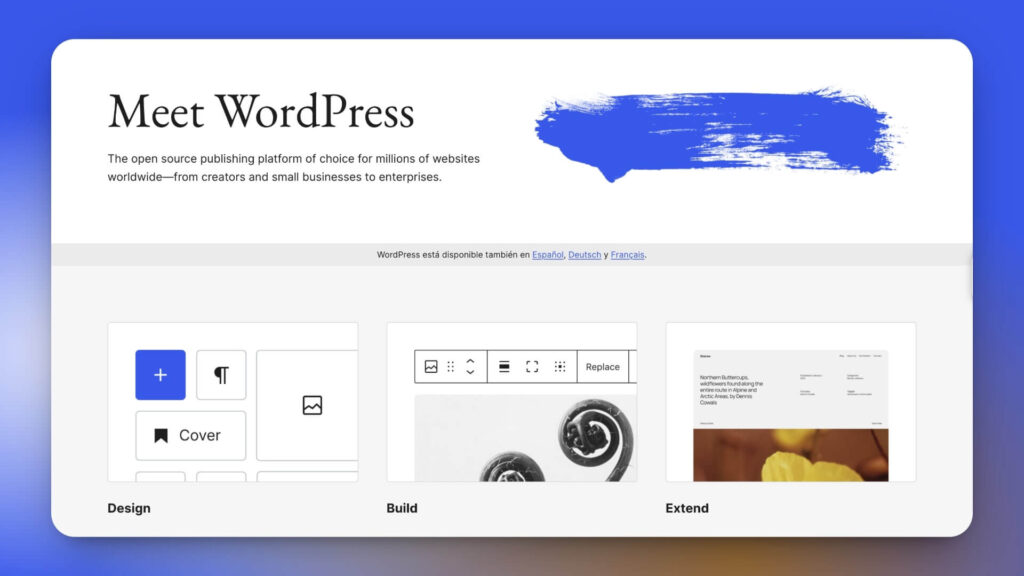
Undoubtedly, WordPress is the best website builder due to its flexibility in creating a professional website on a limited budget.
It is the CMS that we use in Impulsa eCommerce, and in terms of SEO features, it is the best, with numerous WordPress SEO plugins available.
On the other hand, it integrates WooCommerce, a plugin that allows you to create an online store in WordPress and that already holds a market share of over 15%.
With the release of WordPress 7.0, you can now connect AI models like Claude, Gemini, and OpenAI directly through its plugins, opening the door to practical time-saving uses, such as automated content creation and SEO optimization.
Pros
Cons
WordPress Pricing
WordPress is free, and the price will depend on the web hosting you choose, the domain registrar, and the plugins you need to create your website.
Hostinger is our top choice for WordPress hosting, recommended by WordPress, and offers 24/7 support with a free domain for one year when you subscribe for a year or more.
2. Wix
Best for: Any website, service-oriented (e.g., reservations, events, restaurants, hotels, art, online stores).
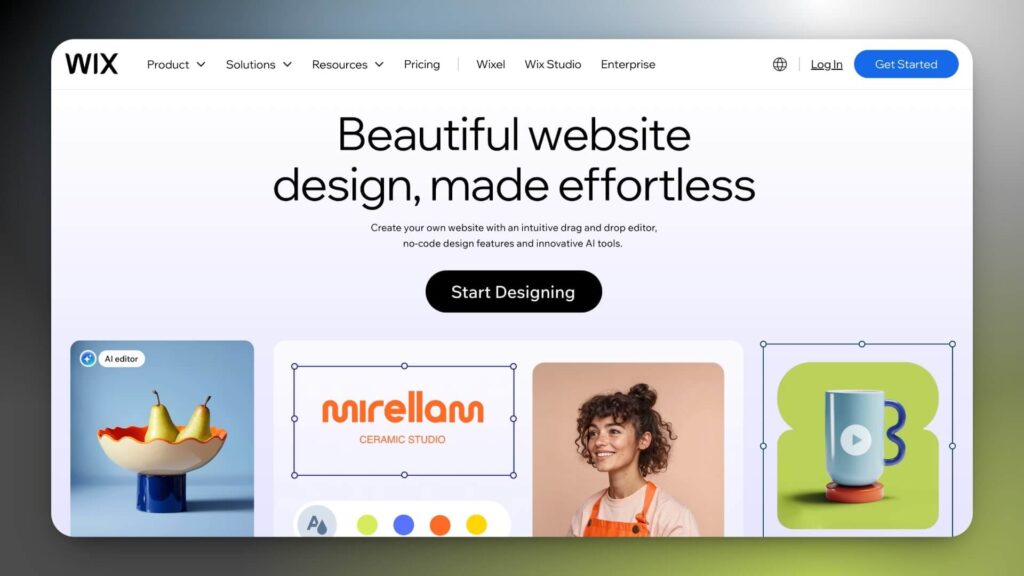
Wix is the cloud solution for creating websites with more users worldwide, for personal sites as well as for entrepreneurs and companies.
The highlight of Wix is its editor, where you can drag and drop elements into any page (About, Homepage, product page, contact page).
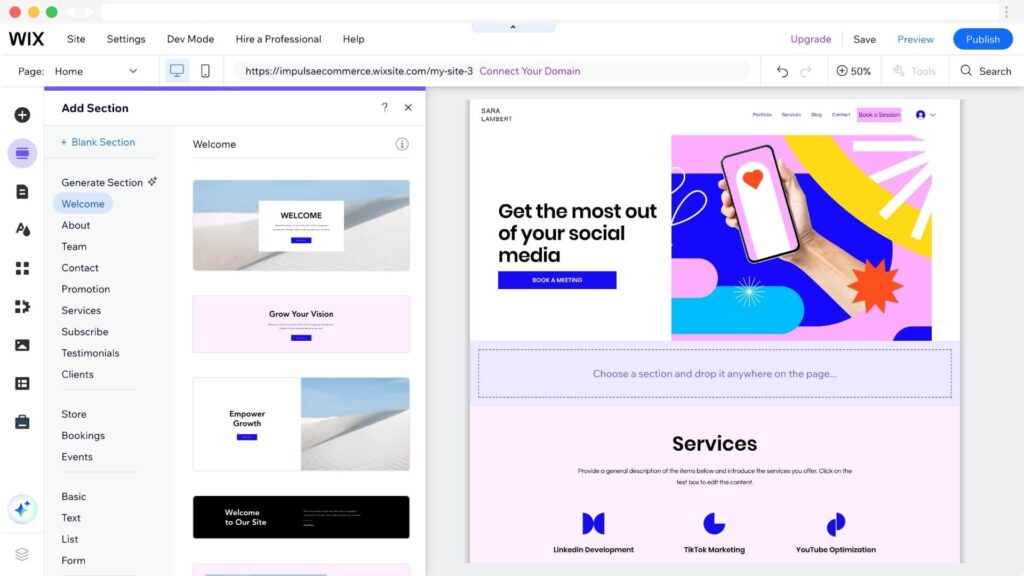
Selling online is also possible with native apps developed by the Wix team that enable you to accept bookings and a wide range of functions for online stores.
Pros
Cons
Wix Pricing
You can use Wix for free by creating an account and then upgrading to a paid plan.
Wix plans start at $17 per month with the Light Plan, which is perfect for personal websites, portfolios, or corporate websites.
If you plan to accept payments, sell on marketplaces, or social networks, you can choose the Core Plan for $29/month with an annual fee.
All annual plans include a free domain for 1 year.
- Read our Wix review for more details.
- Check out our Wix Pricing guide.
- Learn how to create a website on Wix.
3. Shopify
Best for: Entrepreneurs and companies looking to establish an online store.

Unlike other website builders, Shopify is designed specifically for creating an online store.
Shopify provides the security of an e-commerce platform, eliminating many obstacles and complex configurations for businesses of all sizes.
It is undoubtedly the eCommerce website builder I recommend the most for selling physical products, digital products, services, or reservations.
You can visit our Shopify store examples guide, which features stores from various industries, for inspiration when designing your online store.
Pros
Cons
Shopify Pricing
Shopify offers three plans ranging from $39/month to $399/month (billed monthly). On top of that, you’ll need to factor in additional fees, such as per-sale transaction fees, which you can estimate based on your sales with our interactive Shopify Fees Calculator.
Now, you can try Shopify for three days and pay $1 per month for the first three months.
Learn more with the following Shopify guides:
- Read our Shopify review for more details.
- Check out our Shopify pricing guide.
- Best Shopify themes and templates.
4. Squarespace
Best for: Creating digital portfolios, blogs, and visually focused websites.

Squarespace is a cloud-based platform and an alternative to Wix and other website builders, focusing on providing website templates created by professional designers.
With Squarespace templates, you can create a portfolio, service page, restaurant, and even take advantage of their blogging tools to create a personal blog.
You can also create your online store with Squarespace Commerce and sell on social networks or marketplaces like Etsy. In addition, Squarespace provides tools to manage online bookings (Squarespace Scheduling) and send email marketing campaigns natively without the need for a third-party tool like Mailchimp.
Pros
Cons
Squarespace Pricing
Regarding Squarespace’s plans and prices, we find a well-defined structure, divided into four plans depending on the type of web pages you want to create.
- Personal $25/month: Portfolio websites, personal blogs, resumes.
- Company $36/month: Company website.
- Commerce Basic $40/month: Basic e-commerce functions to sell physical or digital products without transaction fees.
- Commerce Advanced $72/month: For advanced e-commerce features and subscription sales.
Squarespace offers a 14-day free trial, allowing you to explore the platform without needing to enter a credit card. Additionally, a free domain name is included for one year when you sign up for an annual plan.
5. Hostinger AI Website Builder
Best for: Creating a simple and affordable website for small businesses or freelancers.
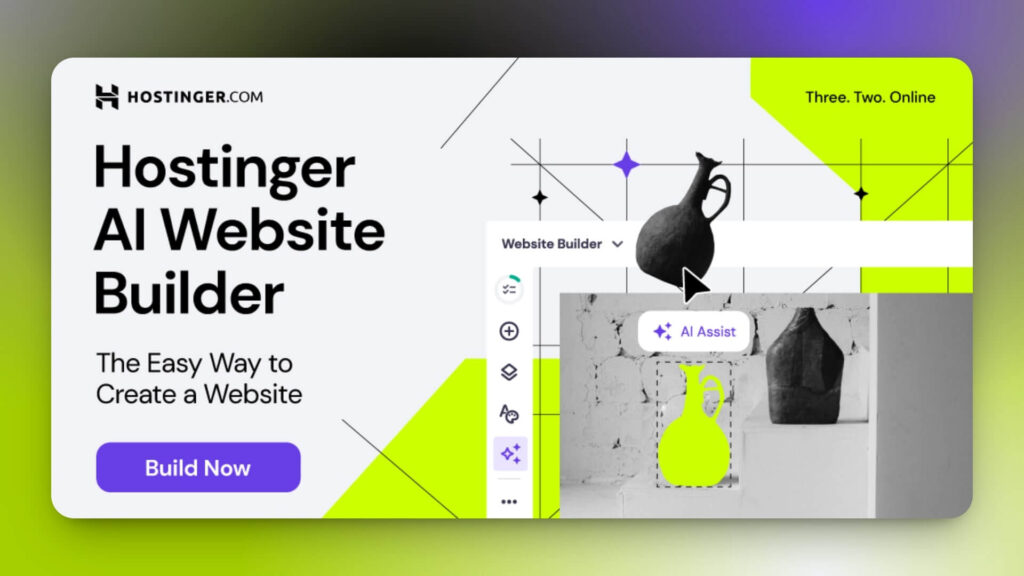
The AI website builder from Hostinger is an excellent choice for beginners and non-technical users. Thanks to its AI tools, you can have a website up and running in a single weekend or over a few evenings after work.
Just choose the type of website (portfolio, online store, corporate website) and describe your project in a few sentences. Hostinger’s AI will create a website tailored to your business or project’s needs.
It includes a variety of web templates, website-building elements, native eCommerce features, and artificial intelligence tools to go live in 1 click.
Pros
Cons
Hostinger AI Website Builder Plans
There are two Hostinger Website Builder plans, which differ in the number of AI tools available and whether e-commerce features are included.
Just like their Hosting plans, you can purchase Hostinger Website Builder from a 1-month plan to a 48-month plan with offers of up to 71%. Additionally, if you buy an annual plan or higher, you get one free domain for one year.
- Premium Plan: From $2.99/month.
- Unlimited Plan: From $3.99/month.
6. Onepage
Best for: Creating landing pages, businesses websites and lead generation pages.
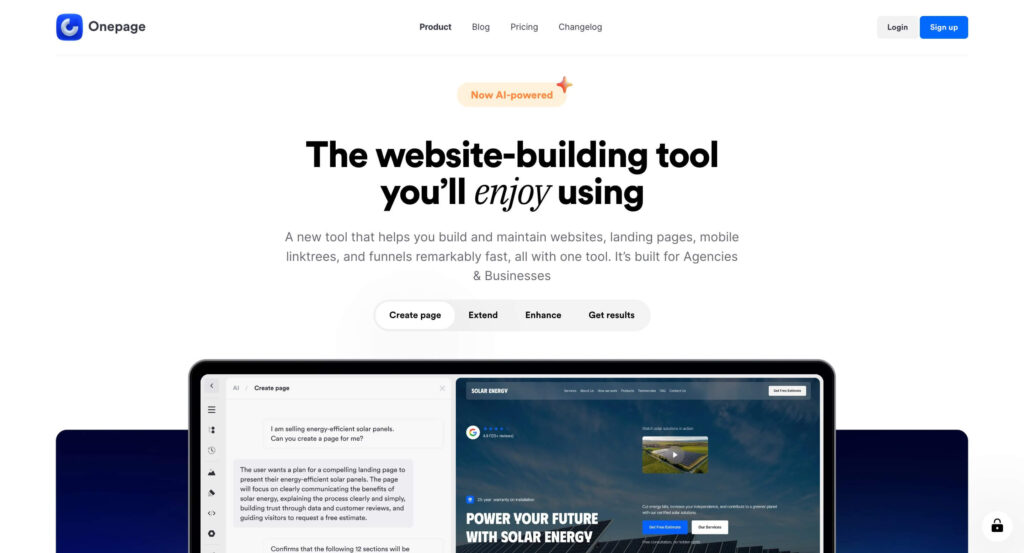
Unlike classic drag-and-drop website builders like Wix or Squarespace, Onepage offers a faster platform for building pages focused on conversions and lead generation.
With its hybrid approach (a classic editor plus AI powered), you can describe your business or idea in a prompt and generate not just sections, but entire pages and interactive elements that you can then edit visually right in the Onepage editor.
You can chat with the AI or even attach screenshots to match the design you have in mind. The clearer and more detailed your prompt, the better the result.
For users who want a solution without having to worry about website hosting and maintenance, Onepage is the ideal choice, since it’s cloud-based and includes web hosting, a custom domain, and website analytics.
However, there’s no native CMS for blogging at the moment, so we recommend using Onepage for landing pages and small business websites with just a few pages, not for blogs or complex web projects.
Pros
Cons
Onepage Pricing
Besides a free plan forever, Onepage offers a core license for building websites and an add-on for creating forms and sales funnels.
- Main license: includes hosting, with pricing based on the number of sites and pages, starting at $19.90/month with the Essential plan.
- Forms & Funnels add-on: sold separately from the core license, starting at $39.90/month with the Launch plan.
7. Webnode
Best for: Creating a simple website for a local business, freelancer, or hobby.
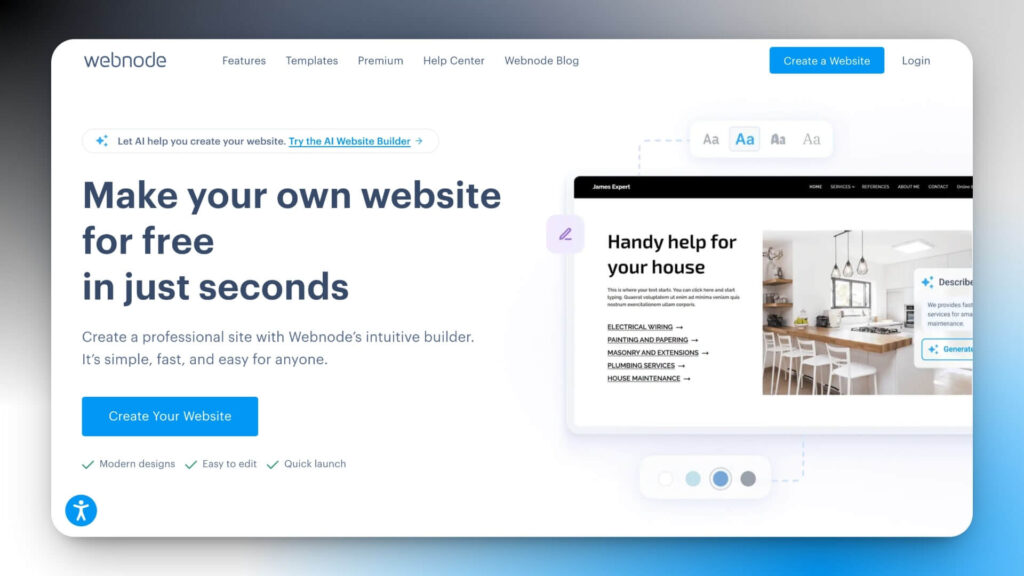
Webnode is a website builder designed for beginners and small businesses, offering pre-designed templates, domain and hosting services, and an AI assistant to help you create your website.
It is one of the web page builders that allows you to get started for free and upgrade to a premium plan as your business grows. Thanks to its intuitive interface, you can drag and drop elements from the editor with no technical knowledge required.
You can also create pages from scratch or use one of their pre-designed templates to create service pages, contact pages, or portfolios.
Pros
Cons
Webnode Pricing
Webnode offers a free lifetime plan to create a website, allowing you to try their platform.
The most popular premium web package is the Standard plan, which costs $12.90 per month and includes a free domain, 3 GB of storage, 20 email accounts, priority customer support, e-commerce functionality, and multi-language support for up to two languages.
Compare the Best Website Builders
Find more information and compare website builders for small businesses.
- Shopify vs Wix.
- Shopify vs Squarespace.
- Wix vs WordPress.
- Wix vs Squarespace.
- Wix vs GoDaddy.
What is a Website Builder?
A website builder is a cloud-hosted software that lets you design your website without requiring programming code or design skills.
In addition, AI website builders take this facility to the next level, automating processes and suggesting designs based on your preferences.
A web page builder offers pre-designed and customizable templates, enabling you to tailor your site to your specific needs. You can choose colors, fonts, styles, and arrange the elements you want to appear on each page.
Finally, one of its advantages is that it does not require web maintenance, since it generally includes built-in web hosting with free SSL certificate.
How to choose a website builder?
Choosing a website builder will depend on your needs, level of experience, and goals. Here are eight steps you can follow to make a decision:
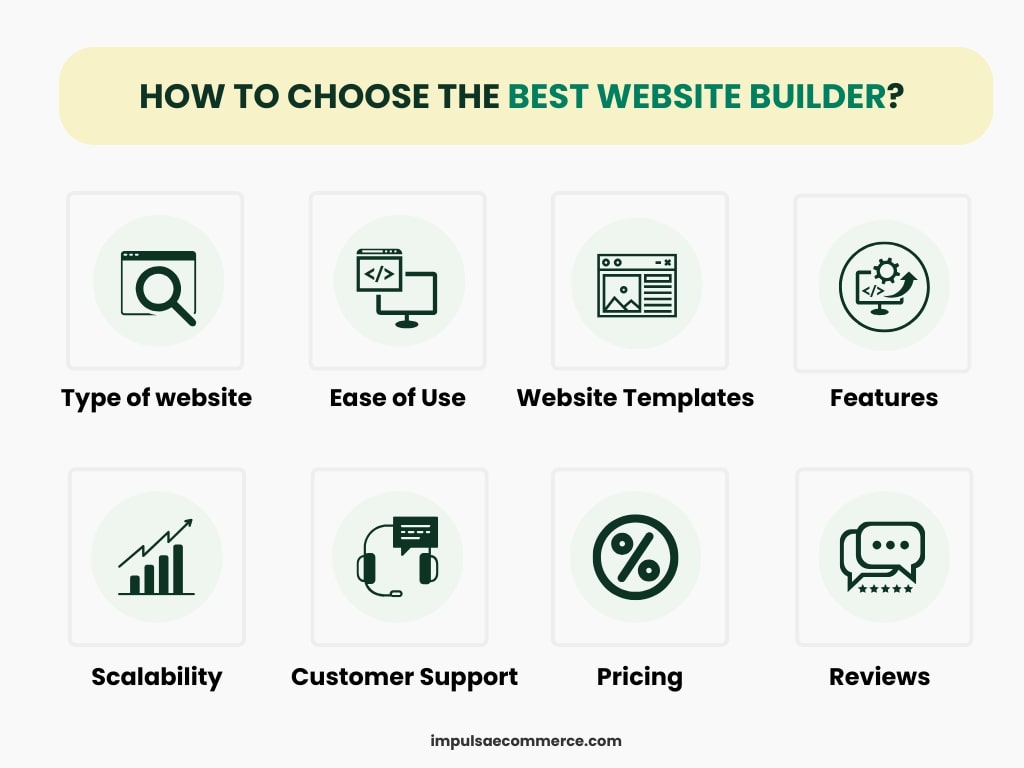
1. Type of website: Before choosing a website builder, ask yourself what type of website you need. Is it a personal blog, portfolio, corporate website, or online store?
2. Ease of use: Look for a web page builder that is easy to use. The editor should allow you to drag and drop elements, change the color palette and fonts, and make adjustments without complications.
3. Web templates: All website builders provide a range of predefined templates and designs that you can use to create your website. Sometimes, you might need to purchase a web template; make sure to include this cost in your budget.
4. Features: Do you need to integrate an online store, contact forms, blogs, image galleries, etc.? Make sure the website builder can meet your specific needs.
5. Scalability: If your project grows, it is essential that the platform can grow with you and offer advanced features as needed (such as unlimited bandwidth or storage).
6. Support: Verify if the creator provides customer support, tutorials, and documentation. This will be helpful if you have any questions or issues while building your website.
7. Price: Evaluate the plans offered by each of the website builders. Some have free plans, while others have free trial periods to test the platform before purchasing a paid plan.
8. Testimonials and reviews: Look for reviews from other users about the website builders you are considering. Platforms like Trustpilot, Capterra, or G2 have a substantial number of reviews to consider.
How to create a website?
Follow these six steps to create a website.
- Choose the right website builder for your business.
- Determine the type of website you want to create (blog, portfolio, online store).
- Choose a web template that aligns with your services and brand.
- Design the most essential pages of your website with multimedia elements.
- Add an online store, a reservation system, a members area, and a blog.
- Publish your website and start developing your professional online presence.
Frequently Asked Questions: Best Website Builders
These are some of the frequently asked questions that users ask when searching for information about the best website builders.
Which are the best website builders for creators?
Based on our experience, we recommend using WordPress, Wix, or Squarespace for the features they offer.
Are there free website builders?
Is it worth using a website builder?
If you are looking to create a website with your domain, it is worth using a website builder.
A website builder provides all the tools you need to design your website and even accept online payments, without the need for complex setup, and it’s entirely cloud-based.
How much does a website builder cost?
A website builder is affordable for everyone, with regular promotions for new users. You can create a professional website for as low as $20 per month.
What is the best online store builder?
In our opinion, Shopify is the best online store builder today, thanks to its extensive app marketplace, marketing and sales tools, and the design of its online store templates.
What is the best AI website builder?
If you’re looking for an AI website builder, here are our top recommendations: Wix, Onepage and Hostinger AI website builder.
To Sum Up
After analyzing the seven best website builders, I would personally recommend WordPress.
If you don’t have technical knowledge and want to avoid hiring a hosting service, you can subscribe to a cloud solution with a drag-and-drop editor like Wix or Squarespace.
Both options offer solutions for building any type of website (portfolios, business sites, booking sites, or membership sites), while Shopify is the go-to platform for eCommerce.
If you want AI to build your entire website, Onepage and Hostinger’s AI Website Builder are solid options, as long as you only need a few pages for specific purpose (from landing pages to sales funnels).
We also compared other options on the website builders market (Weebly, GoDaddy, IONOS, Site123, Strikingly, Jimdo, and Webflow) but these seven options above delivered the best overall value for most users.
Notice: Impulsa eCommerce is supported by readers. If you purchase through a link on our site, we may earn a commission at no cost to you. See more.


