
Shopify Review: The Best All in One eCommerce Platform
Are you looking for an eCommerce platform to sell your products or services?
With the rise of online business, more and more traditional businesses are joining the ranks of online sales. Shopify is one of the most popular CMS platforms for creating an online store from scratch, regardless of business size.
In this guide, we analyze what Shopify is and how it works, review its advantages and disadvantages for creating an online store, and outline its features.
Shopify Review: My Verdict for 2026
Shopify is an all-in-one solution for both beginners and small-to-medium-sized businesses. It’s very easy to create your online store and start selling all kinds of products immediately.

What Is Shopify and How Does It Work?
Shopify is a Canadian company that has become one of the most popular e-commerce platforms, with over 1 million active users in 175 countries.

Shopify’s value proposition is to offer an all-in-one platform to sell, ship, and manage your product inventory, without requiring any prior technical knowledge.
It doesn’t matter if you’ve just created an online store from scratch and have no experience in e-commerce or website creation: Shopify will surely meet your business needs.
Unlike building a store manually, which is time-consuming and requires technical knowledge, Shopify’s latest AI capabilities automate the key tasks for you, creating a professional online store in minutes. The AI Shopify website builder uses artificial intelligence to simplify and speed up the entire process.
How to Sign Up for Shopify?
Once you are on the official Shopify page, you will find a button to register and try Shopify for free for 3 days.
After this time, you can take advantage of their promotion and start selling for 3 months at €1 per month on selected plans.
One advantage of Shopify is that it doesn’t require a credit card to try the platform, and your online store will be saved in the system if, after the promotion, you still haven’t decided to sign up for a plan.

Once you click Try for free, Shopify will show you a brief form to learn more about your project (what you sell, your current revenue, or the industry you operate in).
When you complete the fields, click on “Create your store” to begin. A form will appear with your email, your password, and your online store name.

Get 3 days free, then 3 months for $1/month.
This is optional, and you can skip this step if you wish. You’re not required to fill it out.
Once you’ve completed the form, you’ll be able to enter your new Shopify store and see the trial days you have left, as well as access the different functionalities that Shopify offers from the left sidebar menu.
How Much Does Shopify Cost?
Like other cloud-hosted platforms, Shopify charges a subscription fee, available on a monthly or annual basis.
Shopify pricing starts at $29 per month (billed annually), and you can sell as many products as you want. The difference between plans lies in the commission per sale, which decreases as you upgrade to higher plans.
If you want to know how much Shopify charges, we list the pricing for the United States below; it may vary by location or country.
- Basic Plan – $29 per month.
- Shopify Plan – $79 per month.
- Advanced Plan – $299 per month.
- Plus – $2,300 per month.
These prices correspond to their standard plans, which include unlimited product creation, web hosting, and a free SSL certificate, among other features that vary by plan.
Additionally, there is an enterprise plan, Shopify Plus, which is paid upfront and generally runs around $2,300 per month. As you can see, they’re aimed at large businesses that require a solid structure due to their high shipping volume.
There is no fee for uploading products. The monthly fee is all you’ll pay. If you want to offer your customers the option to pay with PayPal (which we recommend), you’ll have to pay PayPal’s 2.5% per-transaction fee.
Likewise, there are additional charges if you use another online payment gateway, like Stripe.
Shopify Dashboard
Once inside the Shopify dashboard, the first impression is that the interface is clear and simple to use. Just like in other CMS platforms, you’ll find a sidebar on the left, from which you can access all the store’s functionalities.

In the sidebar, you’ll find the following functionalities to manage your business:
- Manage orders and returns.
- Add products, inventory, collections, and gift cards.
- Manage customers and purchase history.
- View reports and statistics (total sales, visits, conversion rate).
- Run campaigns and automate marketing.
- Create discounts and promotions.
- Manage your online store apps.
Shopify Admin also allows you to install and manage different sales channels, such as:
- Your Shopify Store.
- Point of Sale (POS): in-person and brick-and-mortar sales.
- Buy Button: A button to integrate e-commerce functionality into any website or blog.
- Amazon: Manage your Amazon and Shopify product listings from one place.
- Instagram: product tags in your posts.
- Shopify Inbox: the live chat tool you’ll use to interact with your customers.
- Facebook Shop: a tab on your Facebook page where users can browse and buy your products.
- Messenger Channel: Direct sales through Messenger, as well as providing information about orders, shipments, and any other inquiries.
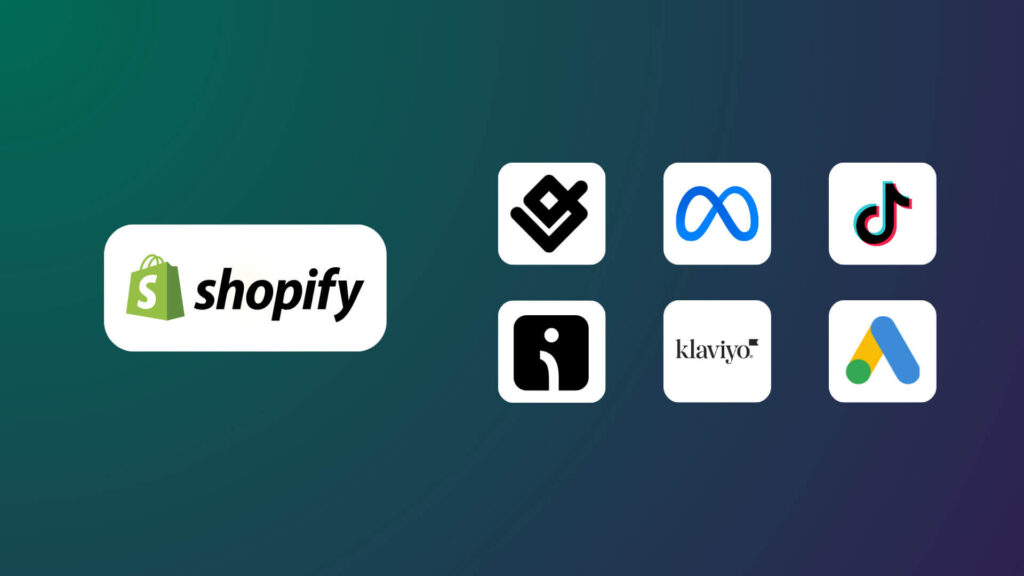
The tabs above cover all the sales channels you can use natively, in addition to your online store, but you can also integrate your Shopify store with marketplaces like Amazon or Etsy and through third-party apps.
Shopify Features
Next, we’ll analyze some of Shopify’s most important functionalities accessible from the dashboard.
Shopify Payments
There are two ways to accept credit card payments on Shopify: Shopify Payments or a third-party payment gateway.
The easiest and fastest in the United States is Shopify Payments, Shopify’s native payment provider with no additional transaction fees.
However, you’ll still have to pay a “credit card fee” for receiving payments with Shopify Payments. In the United States, it starts at 2.9% + 30¢ on the Basic plan.
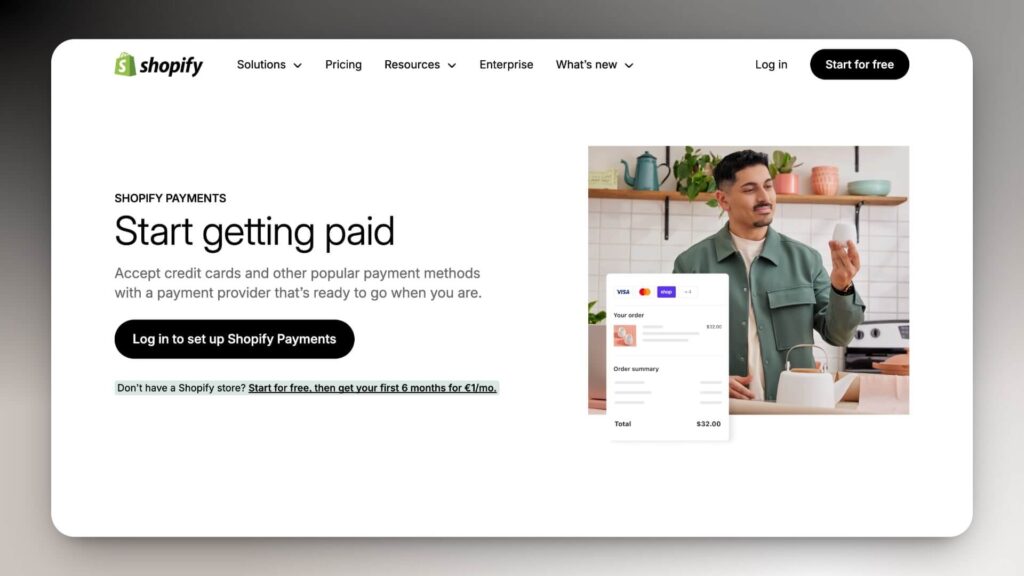
If you don’t use Shopify Payments and opt for an external payment method, the additional charge will be between 0.6% and 2% per transaction, which can be costly in the long run.
Shopify Payments are deposited into your bank account within 48-72 hours and allow you to issue a refund to the customer with just a click.
If Shopify Payments is not available in your country, you can use a third-party Ecommerce payment gateway to process card transactions (over 100 to choose from) or alternative payment methods like PayPal, cash on delivery, bank transfer, or cryptocurrencies.
Shopify Templates
Shopify offers a wide catalog of eCommerce templates (over 1,000) with which you’ll surely find the style and personality you’re looking for your online store. You can try the different demos of each theme, optimized for desktop, tablet, and mobile.
Shopify offers 24 free templates with diverse styles and an industry filter, allowing you to find the theme most suited to your business or product.
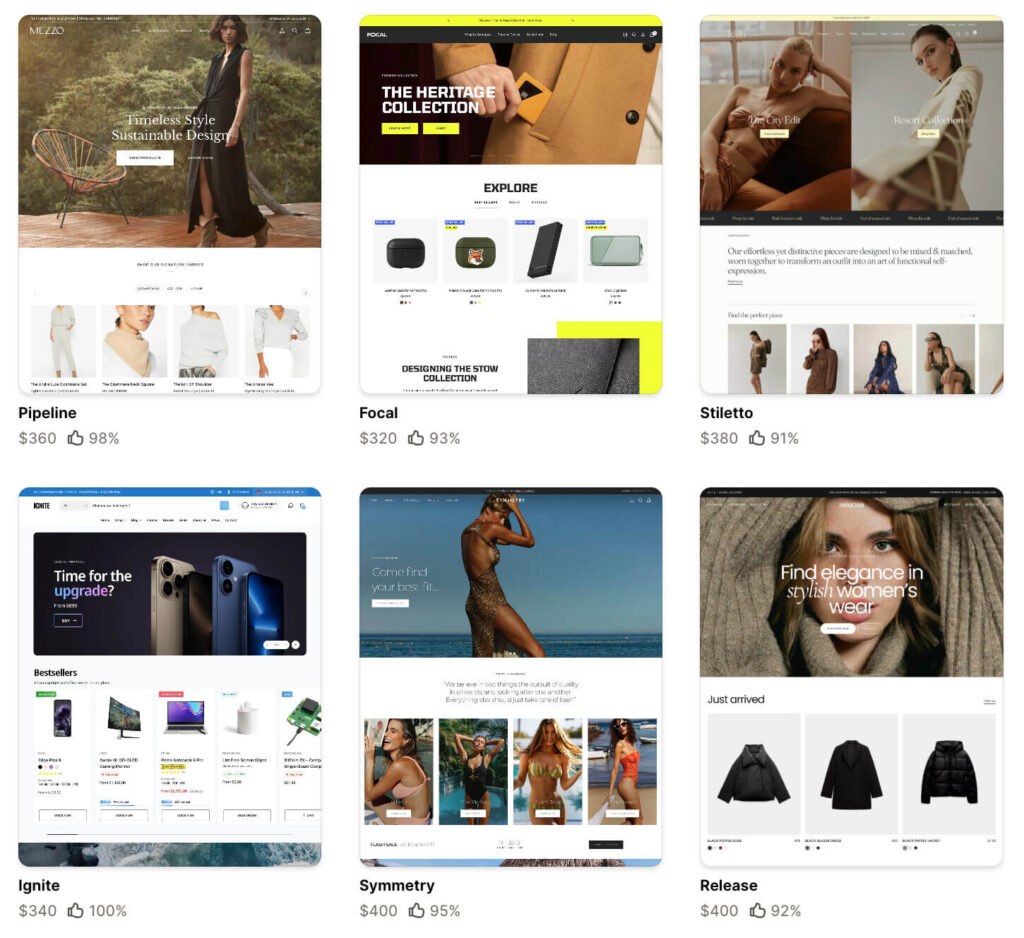
In any of the themes you try, you’ll have a series of sections where you can make adjustments, hide them with a single click, rearrange them, or delete them.
The number of sections depends on the theme. For example, you can customize the homepage, collections page, product page, header, footer, and checkout. It also lets you edit your blog structure and posts.
Some of the best-selling Shopify themes are developed by Shopify developers such as Maestrooo, Archetype Themes, PixelUnion, ThemeForest (Marketplace), and Out Of The Sandbox.
Visit our list of the Best Shopify themes and templates, both free and paid, to create your online store on Shopify.
In-Person Sales (Shopify POS)
If you also have a physical establishment, you can sync your inventory and sell in person with Shopify POS.
Shopify POS is Shopify’s own POS system (point-of-sale system), with the main advantage of native integration with all Shopify apps.
Additionally, Shopify offers its own POS hardware kits, including POS stands, card readers, and contactless payment options, as well as compatible accessories such as barcode scanners and receipt printers.
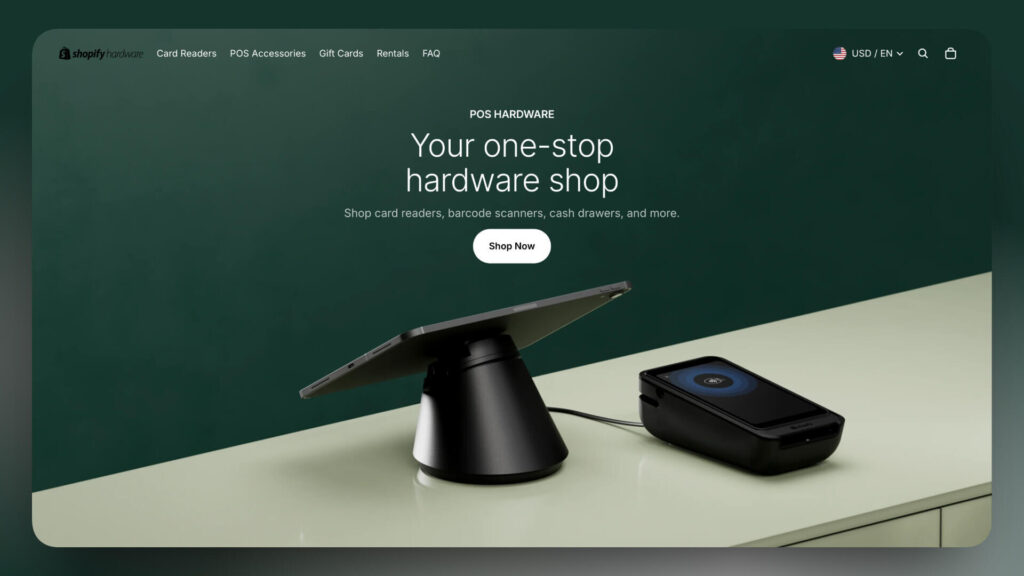
Finally, one advantage of using Shopify POS is its mobile or tablet app, which lets you manage orders and accept payments.
AI Tools (Shopify Magic)
Shopify has AI-powered tools, such as Shopify Magic, available in multiple languages.
Here’s a brief list of functions you can perform with Shopify Magic:
- Create custom responses and FAQs for Shopify Inbox.
- Generate or remove backgrounds in product images.
- Create text descriptions for product listings.
- Generate subject lines and content with Shopify Email.
Shopify Magic uses GPT-4 technology and is available for free to all Shopify store owners, on any subscription plan.
Multilingual Stores on Shopify
Shopify lets you modify your online store’s language, perform simple translations, and address more technical aspects of inventory management and online orders.
There are two ways to create a multilingual store on Shopify:
- Use an external app from the Shopify app store, such as Langify or Weglot, to add new languages to your store.
- Online store for each country: In terms of SEO and functionality, this would be the ideal option, although it requires more resources.
In the end, this will depend on your sales volume, your target market, and your budget.
Shopify SEO
Shopify’s feature set is solid and comparable to other CMS platforms like WordPress.
The on-page SEO interface is easy to use, and you can quickly change titles and meta descriptions, add alt tags to images, and edit product and collection titles.
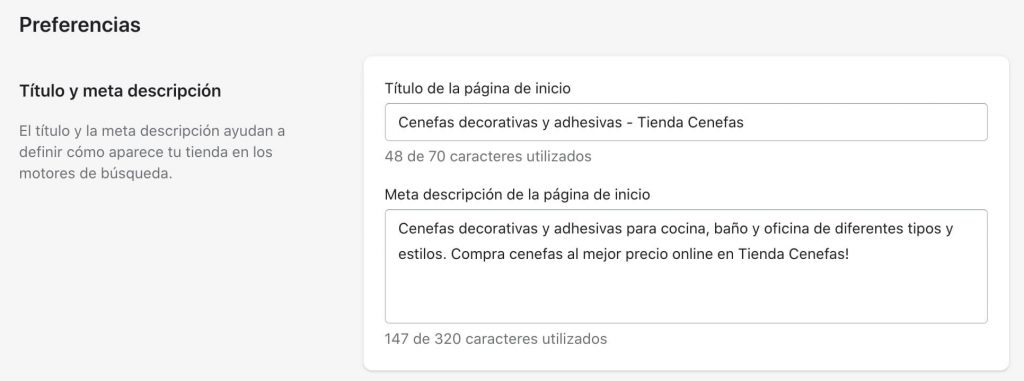
It’s also possible to create 301 redirects if you deactivate any product or collection.
In fact, the platform automatically does this when you change the URL of a specific page, saving you time.
All Shopify templates are optimized for all devices and use a CDN to speed up content delivery; these two web design features translate into better SEO rankings (for example, in Google Images).
Don’t forget to reduce image size before uploading them or uninstall unnecessary apps.
Regarding some areas for improvement with respect to SEO ranking, we can say that the platform adds prefixes to pages and products:
- /pages/ before pages
- /posts/ before posts
- /products/ before products
This is not the ideal URL format for search engine ranking, compared to other CMS platforms, like WordPress, which offer a simple URL structure. However, it usually doesn’t affect ranking if you respond well to search intent and have previously conducted keyword analysis.
SEO functionalities are only part of your online store’s SEO strategy. It’s important to conduct prior Keyword Research, a link-building strategy, and create relevant content to attract more organic traffic.
Shopify Apps
The Shopify app store is extensive and offers a solution for almost every problem that may arise. You can find apps for dropshipping, order management, shipping and sales, marketing, product reviews, SEO, online store design, finance, or productivity.
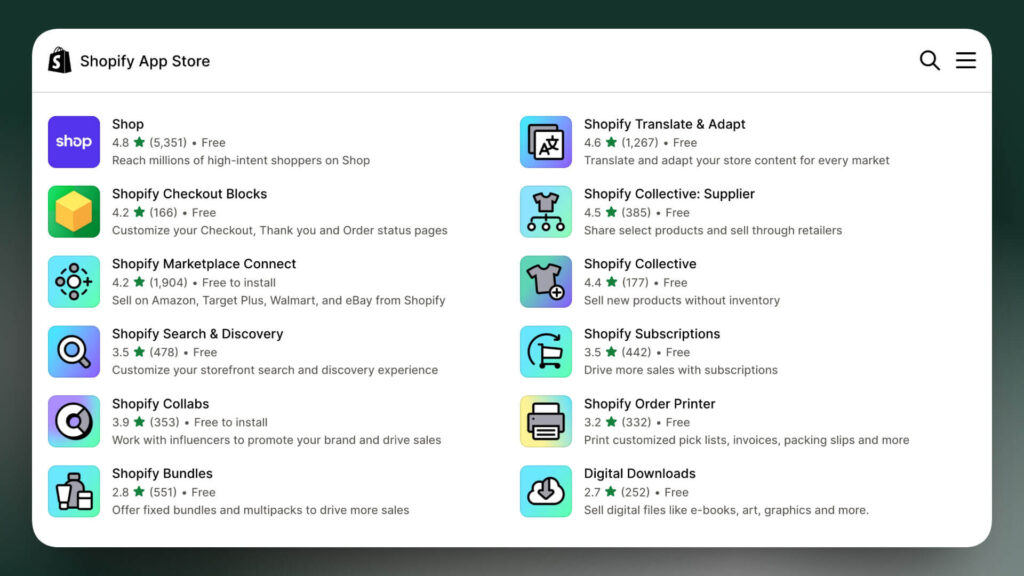
Aside from that, the Shopify App Store also recommends apps built by Shopify that let you configure various tasks natively from your dashboard, saving money since they’re free to install.
It’s advisable to analyze whether you need an app beforehand, as installing multiple apps can affect your online store’s speed.
Email Marketing
Si quieres escalar tu tienda online hacia un negocio a largo plazo, es importante contar con una lista de suscriptores. Algunas de las aplicaciones más utilizadas en el ecosistema de Shopify son Klaviyo, Omnisend, Brevo y MailerLite.
Unfortunately, the Mailchimp integration with Shopify is no longer available, so you’ll need to consider alternatives.
Shopify also offers its own email marketing app, Shopify Email, which lets you send up to 2,500 emails per month for free.
🔍 Discover the best email marketing tools for Shopify.
Abandoned Cart Flow
One of Shopify’s features is abandoned cart recovery, which helps prevent lost sales by sending a sequence of emails to users who have added products to their cart but did not complete the purchase.
You can configure the pre-designed templates to match your message, style, brand colors, and notification timing. These templates are sufficient to set up an abandoned cart sequence, but you can also use abandoned cart apps for Shopify to automate the entire process.
Commonly used email marketing software for this includes Omnisend or Klaviyo, which offer native integration with Shopify and allow you to create triggers and abandoned cart flows in a simple, intuitive way.
Creating a Blog
Having a blog and a content marketing strategy are important for increasing organic traffic to your online store.
Shopify includes a built-in blogging tool that lets you create the content you need to ensure your store is visible on Google.
Since Shopify is designed for online stores, the blogging functionality is more limited than on other platforms like WordPress.
However, it perfectly meets the needs of most merchants, offering a responsive design across all devices and the option to create avatars or add a comment system, depending on the theme or template you use.
Dropshipping & Print on Demand
In recent years, one reason Shopify has become increasingly popular is its dropshipping model.
Dropshipping is an eCommerce business model that has a peculiarity: you don’t touch the product or ship it. The producer or manufacturer must ship it.
This saves time and money on stock storage, but watch out! Your dropshipping suppliers must be competent to offer a good customer experience.
Importing products from AliExpress or other platforms attracts many young people to create their own online stores. Thanks to dropshipping apps for Shopify like Zendrop, DSers, or AutoDS, you can sync products with your Shopify store.
Our recommendation is to find high-quality, nearby products and establish long-term relationships with suppliers to dropship on Shopify.
Finally, you can earn extra income with Print on Demand. This model lets you sell custom products, such as clothing or art, without holding inventory. Shopify offers top Print-on-Demand apps, so check them out to find the best fit for your business.
🔍 Related: The 5 Best Print on Demand (POD) Companies.
Pros and Cons of Shopify
As with all e-commerce platforms, the services offered have advantages and disadvantages. Let’s take a look at the Pros and Cons of Shopify based on our experience.
Pros
Cons
FAQs Shopify Review
In this section, we include some of the most common questions about Shopify that we found on forums and platforms such as Reddit or Quora.
Is Shopify Good for SEO?
Yes, Shopify is an e-commerce platform that cares about SEO. Although its URL structure could improve, it offers a lot of flexibility and control over your site’s design and structure, as well as on-page SEO.
Is It Safe to Manage an Online Store with Shopify?
With Shopify, you won’t have to worry about website downtime. The inclusion of an SSL certificate in the plan makes your online store secure from the start and lets you avoid searching for web hosting on your own.
How Much Does Shopify Cost per Month?
If you’re wondering how much Shopify costs, here’s a breakdown of the prices:
– Basic Shopify – $29 per month (ideal for beginners with unlimited products and 2 staff accounts). 2% per transaction.
– Shopify – $79 per month (To grow your business with unlimited products, 5 staff accounts, and much more). 1% per transaction.
– Advanced Shopify – $299 per month (includes two stores with unlimited products, 15 staff accounts, and more. 0.5% transaction fee).
What Happens If I Don’t Pay Shopify?
If you forgot or can’t pay your monthly Shopify plan, the system will freeze your store until you pay the corresponding invoice. During this period, your customers won’t be able to access your online store, nor will your employees be able to access your store’s dashboard.
How Many Products Can I Sell on Shopify?
Shopify has no restrictions on the number of products you can sell online in your store.
What Can You Do on Shopify?
Shopify is an excellent platform, especially for selling physical products, but you can also sell any type of digital product.
Conclusion: Is Shopify that good?
Shopify is a highly renowned eCommerce platform, increasingly used by new brands and digital entrepreneurs. Very intuitive and doesn’t require prior programming knowledge.
The main advantage compared to other platforms is the quick setup and the avoidance of headaches with servers and security.
No matter how many orders you have per day, hour, or even minute, Shopify can handle them without any issues.
There are some disadvantages that can impact the user experience as a seller on Shopify, such as transaction commission charges, the use of external paid apps, and technical support that is only available by email and somewhat slow.
However, we believe that Shopify is one of the best e-commerce platforms on the market. It’s an all-in-one solution that lets you focus on promoting your online store without worrying about website maintenance and hosting.
Shopify Review: The Best eCommerce Platform in 2026

Shopify Reviews (2026): Everything you need to know to create an online store based on our professional experience with Shopify.
Price: 29
Price Currency: $
Application Category: Ecommerce Platform
4.7
That’s it for our article about what Shopify is and how it works. What do you think of Shopify? Do you prefer other ecommerce site builders instead? Do not hesitate to contact us for any advice on choosing the best platform for your project!
Leave us your opinion in the comments!
Sources: Shopify Official Website.
Notice: Impulsa eCommerce is supported by readers. If you purchase through a link on our site, we may earn a commission at no cost to you. See more.


