
What is the Best Cloud Storage for Photographers?
The best cloud storage for photographers in 2026 includes Internxt, pCloud, Proton Drive, Dropbox, Google Drive, and Adobe Creative Cloud.
Each of the services stands out for different features, such as zero-knowledge encryption, smart photo organization, a built-in photo editor, or purchasing lifetime cloud storage.
This guide shows you the most notable features of each cloud storage service, what you can expect to pay, and which is best for storing your photos and sharing them securely with your clients.
What is the best cloud storage service for photographers?
Are you looking for the best cloud storage for photographers? Here you will find a selection based on the type of storage you need.
- Internxt: the most secure storage for photographers, with lifetime plans.
- pCloud: cloud storage with a photos tab and editor.
- ProtonDrive: encrypted photo storage for personal use.
- Dropbox: best for collaborating on projects.
- Google Drive and Google Photos: for Google Workspace users.
- Adobe Creative Cloud: storage integrated with Lightroom and Photoshop.
1. Internxt
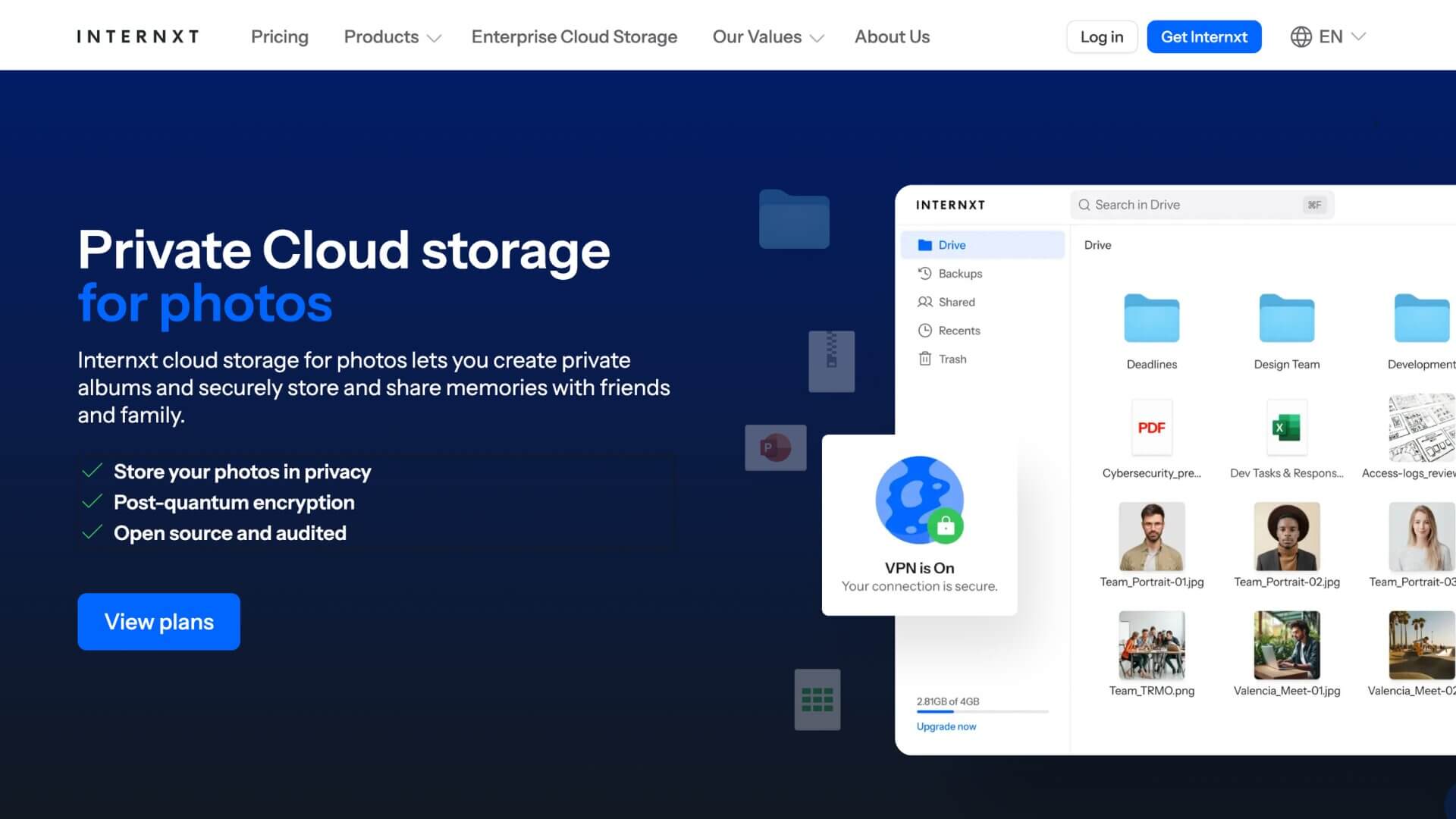
Internxt is the most secure cloud storage for saving photos because it uses post-quantum zero-knowledge encryption, which means you maintain control over your data, and no one (unless you share the photos yourself) can access your files.
For photographers who carry out corporate work or manage confidential files, this is a game-changer. Before a file is uploaded, it is sharded, so no server stores a complete file: only encrypted fragments.
In addition to storing your photos privately, Internxt supports uncompressed RAW files, automatic backups, and file previewing. You can share your RAW photos with clients via a password-protected link, even without them needing to register with Internxt.
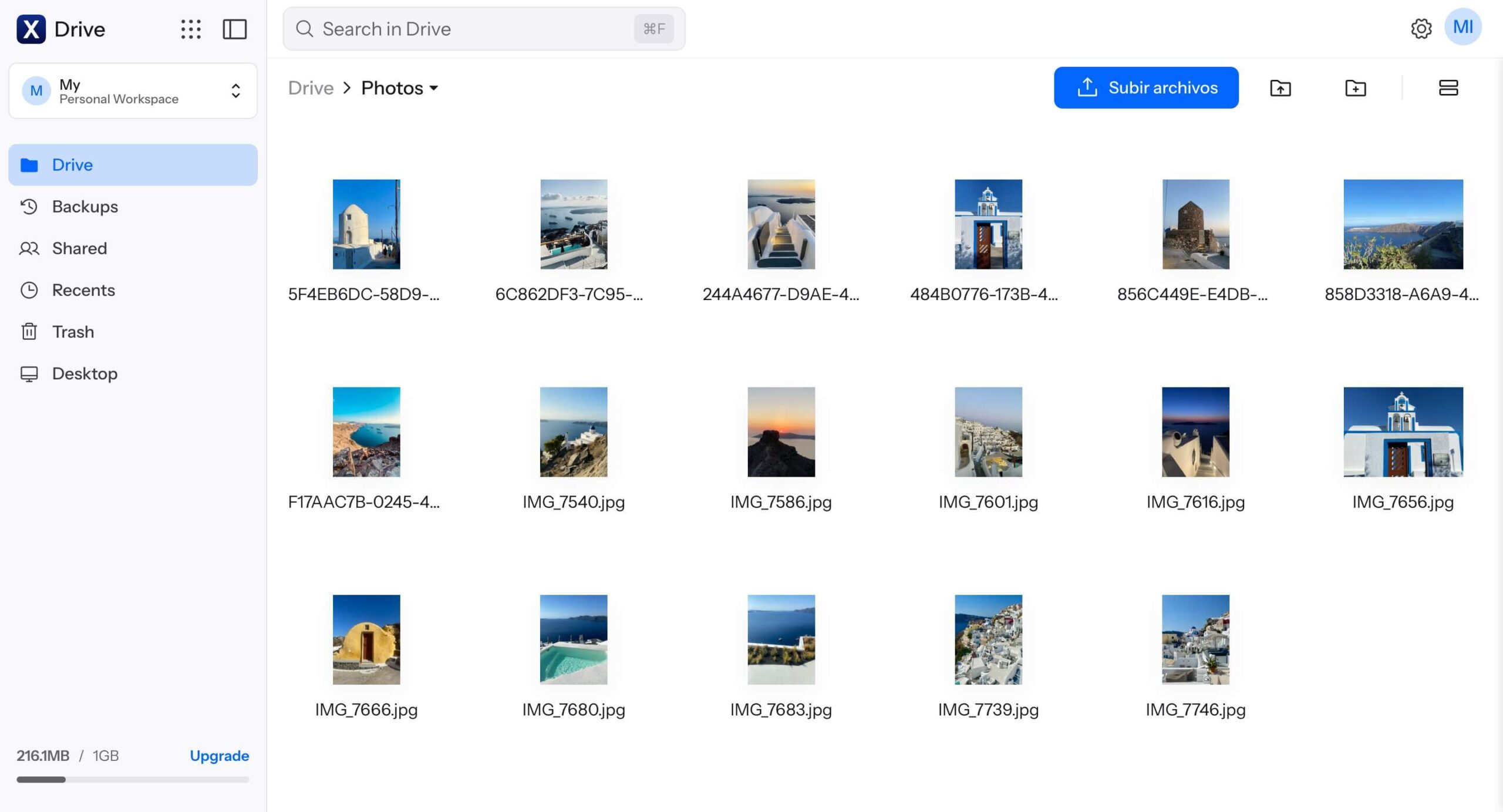
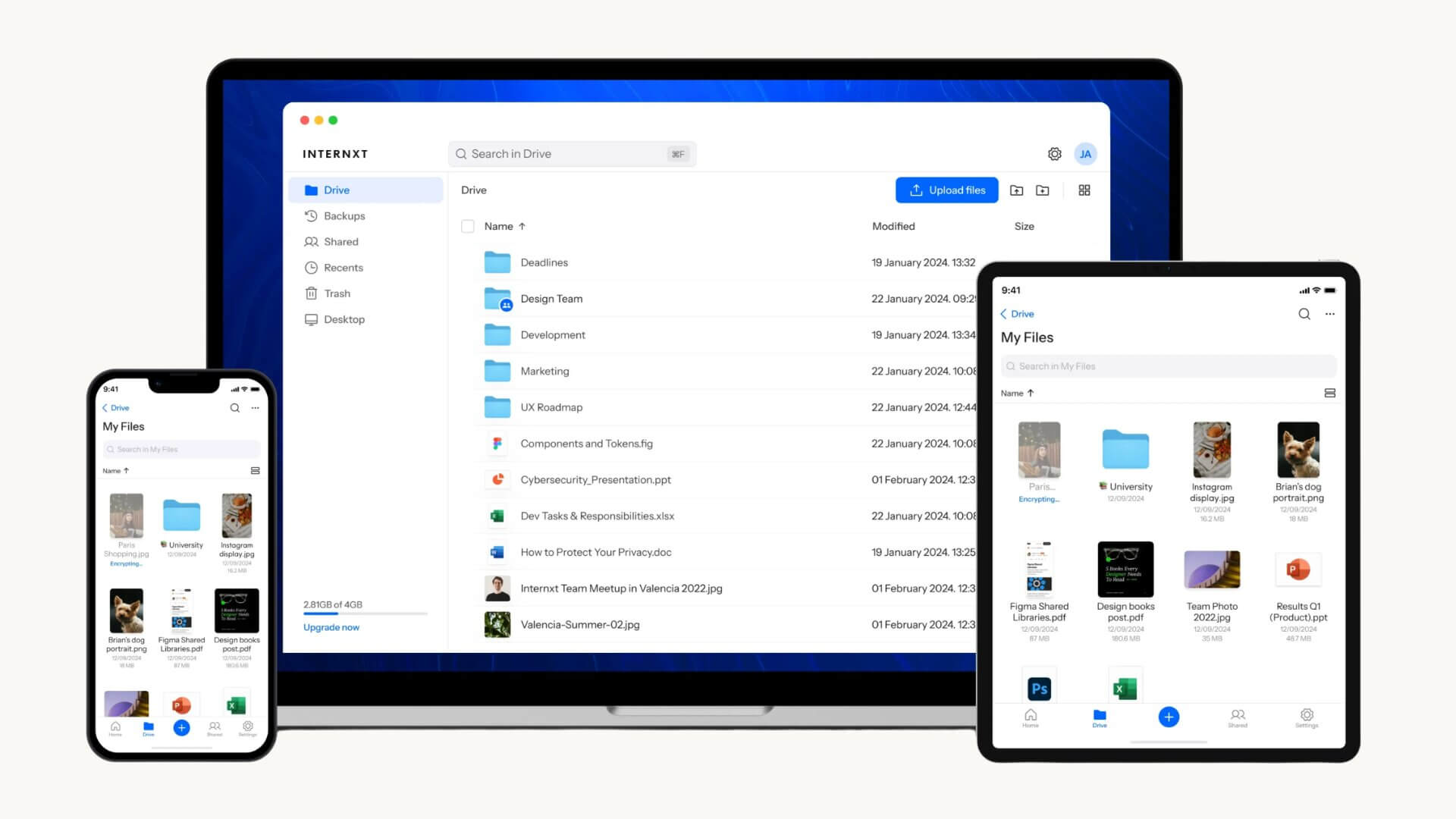
Internxt also stands out for its intuitive interface, which makes it easy to organize images into folders. The file preview feature allows clients to view them without any hassle, and it is worth noting that Internxt never sacrifices quality.
Beyond annual subscriptions, Internxt’s lifetime plans offer exceptional value and position themselves among the most affordable lifetime cloud storage options on the market, with discounts of up to 85%.
What does Internxt stand out for photographers?
- Support for uncompressed RAW files without loss of original quality.
- European cloud storage service, compliant with GDPR regulations.
- Apps to sync files on Windows, macOS, Linux, iOS, and Android.
- Backups to save space on the local hard drive.
- Post-quantum encryption: included in all paid plans, at no additional cost.
- Affordable cloud storage with lifetime plans of 1, 3, and 5 TB.
- Password-protected file sharing.
- File version history for PDF, Word, Excel, and CSV files on paid plans.
Internxt is our alternative to Big Tech, ensuring the security and privacy of your personal photos and your work projects.
2. pCloud
Whether you are a professional, freelancer, individual, or family user, pCloud has plans for different contexts and needs.
One advantage of pCloud for photographers over its competitors is its lifetime plans. For a fixed price, you get unlimited access to your storage space, without worrying about monthly or annual subscriptions. For example, the 2 TB plan costs around $399, and with deals on special dates, you can purchase for half-price on lifetime plans.
Unlike Internxt, pCloud zero-knowledge encryption (pCloud Crypto) comes at an additional cost of $49.99/month, which means that, technically, pCloud can access your files. Although this is a disadvantage compared to other services, you can rest assured that your files will be protected by AES-256 encryption and TLS/SSL data transfer from your computer to pCloud’s servers.
Another point in pCloud’s favor that we highlight in our analysis is the photos tab, which organizes your images by date and includes a basic photo editor.
3. ProtonDrive
ProtonDrive is another privacy-focused cloud storage solution, ideal for those who store sensitive files such as personal photos, medical records, or identity documents. Your files belong to you, not to advertising platforms or artificial intelligence models.
In addition to offering end-to-end encryption to keep your data private, you can automatically back up your photos and organize them into albums, with no size or download limits, which is very important for photographers.
With ProtonDrive, you can get 5 GB of free storage and purchase up to 3 TB of secure storage for files and photos.
4. Dropbox
Dropbox is one of the best cloud storage for photographers who prioritize file sharing with clients over privacy and is not ready to commit for lifetime plans from services like Internxt.
Dropbox Plus and Professional plans are aimed at self-employed individuals and freelancers with needs of 2-3 TB, while team plans (Dropbox Business) are aimed at small photography studios and agencies with clients starting from 3 users and 5 TB of storage.
Among the features for photographers are a photos tab, image preview for more than 35 image file types, up to 180 days of file recovery, and password-protected file and folder sharing with an expiration date.
5. Google Drive & Photos
Google Drive is one of the easiest platforms for backing up your photos.
The search feature allows you to find photos by their description and offers very accurate results. You can also organize your photos into albums.
The main drawbacks of Google Drive are privacy and security: there are safer alternatives with zero-knowledge encryption and fewer limitations on secure sharing (e.g., password protection or download restrictions). Furthermore, Google can access your files for advertising purposes.
I recommend it for amateur photographers who are just getting started with cloud storage and do not have strict privacy requirements.
6. Adobe Creative Cloud
Adobe Creative Cloud is a good option if your workflow revolves around photo editing with Lightroom or Photoshop from any device, and you need a plan that includes both programs and cloud photo storage.
The Photography Plan can be purchased in two ways:
- Lightroom and Photoshop + 1 TB: $19.99/mo.
- Lightroom + 1 TB: $11.99/mo.
Compared to other services, Adobe’s Photography Plan falls short with a 1 TB storage cap and higher prices, though upgrading to 10 TB is possible by contacting their sales team.
We only recommend this plan for photographers who need to use Lightroom and Photoshop daily, and who want the option to store specific projects.
What to look for in cloud storage for photographers?
Whether you are a professional photographer or simply looking for cloud storage to save your photos, there are some key factors I would consider before choosing one service over another.
The factors to consider include choosing a lifetime plan versus subscriptions, file sharing, automatic backups, and the platform’s ease of use and photo organization.
Lifetime plans vs. subscriptions
RAW files from modern cameras typically range from 25 to 50 MB, and a wedding photo session can easily exceed 200 GB, so most professional photographers need at least 1 TB of storage to start.
Given that you are professionally dedicated to photography, plans with monthly or annual billing cycles may prove insufficient. This is where lifetime cloud storage comes into play: you can offset the cost over several years based on your usage and take advantage of deals to save on lifetime cloud storage plans.
The cloud storage services that offer lifetime plans are Internxt, Icedrive, and pCloud, each offering up to 10 TB of storage.
Secure file sharing
If you work with clients who require greater privacy and security, it is important to choose a storage service that offers secure sharing features.
This means that when sharing a folder or a link, you can generate password-protected links with an expiration date. ProtonDrive, Internxt, and pCloud offer this feature on all their plans, while Dropbox only offers it from its professional plan (Dropbox Professional) onwards.
Automatic backups
As an amateur photographer, I usually follow the 3-2-1 backup method, which involves keeping three copies of photos on two different media and one copy offsite.
I usually store this copy in a cloud storage service that automatically backs up main folders, such as images or videos. Simply dragging a new photo session into these folders will sync it with the cloud.
Additionally, you can enable automatic uploads from the mobile app if it is also part of your workflow. This ensures that no photo is lost and that everything syncs with the cloud, freeing up space on your mobile device.
What is the best cloud storage service for photographers in 2026?
The choice of the best cloud storage service for photographers will depend on how you use it: whether as an additional backup or to share photo sessions with your clients and other team members.
In our opinion, Internxt offers the best combination in terms of privacy, storage capacity, and long-term value for money, especially if you are interested in lifetime plans.
That said, the right answer depends on your workflow. Other providers include pCloud, Proton Drive, Dropbox, and Adobe Creative Cloud.
On the other hand, if you do not need much space and prefer to start with free cloud storage, Google Drive and MEGA offer 15 GB and 20 GB, respectively.
We hope this guide has helped you choose the best cloud storage service for photographers and to share your projects securely.
FAQs
This is what photographers look for when answering frequently asked questions. It is important when working with large files and client projects.
What is the best cloud storage for photographers?
The best cloud storage for photographers is Internxt, thanks to its zero-knowledge encryption, support for uncompressed RAW files, automatic backups, and affordable lifetime plans.
What is the most secure cloud storage for saving photos?
Internxt and ProtonDrive are two of the best encrypted cloud storage providers, thanks to the end-to-end encryption included in all their plans.
What is the best option for storing photos in the cloud?
The best option for storing photos in the cloud depends on your needs: Internxt or pCloud for lifetime plans, ProtonDrive for privacy, or Google Drive and Dropbox if you prioritize organization and teamwork.
Do cloud storage services support RAW files?
Yes, Internxt, pCloud, and Dropbox store RAW files without compression, preserving the original quality. Avoid any service that states it “optimizes” images upon upload, as this usually implies compression.
What does end-to-end encryption mean for photographers?
End-to-end encryption and zero-knowledge ensure that client images are protected against unauthorized access. For photographers who manage confidential corporate or personal work, this is highly relevant, as even the provider cannot access your files.
Notice: Impulsa eCommerce is supported by our readers. If you make a purchase through a link on our site, we may earn a commission at no cost to you. Learn more.


