
Onepage Review [2026]: Is It a Good Choice for Your Website?
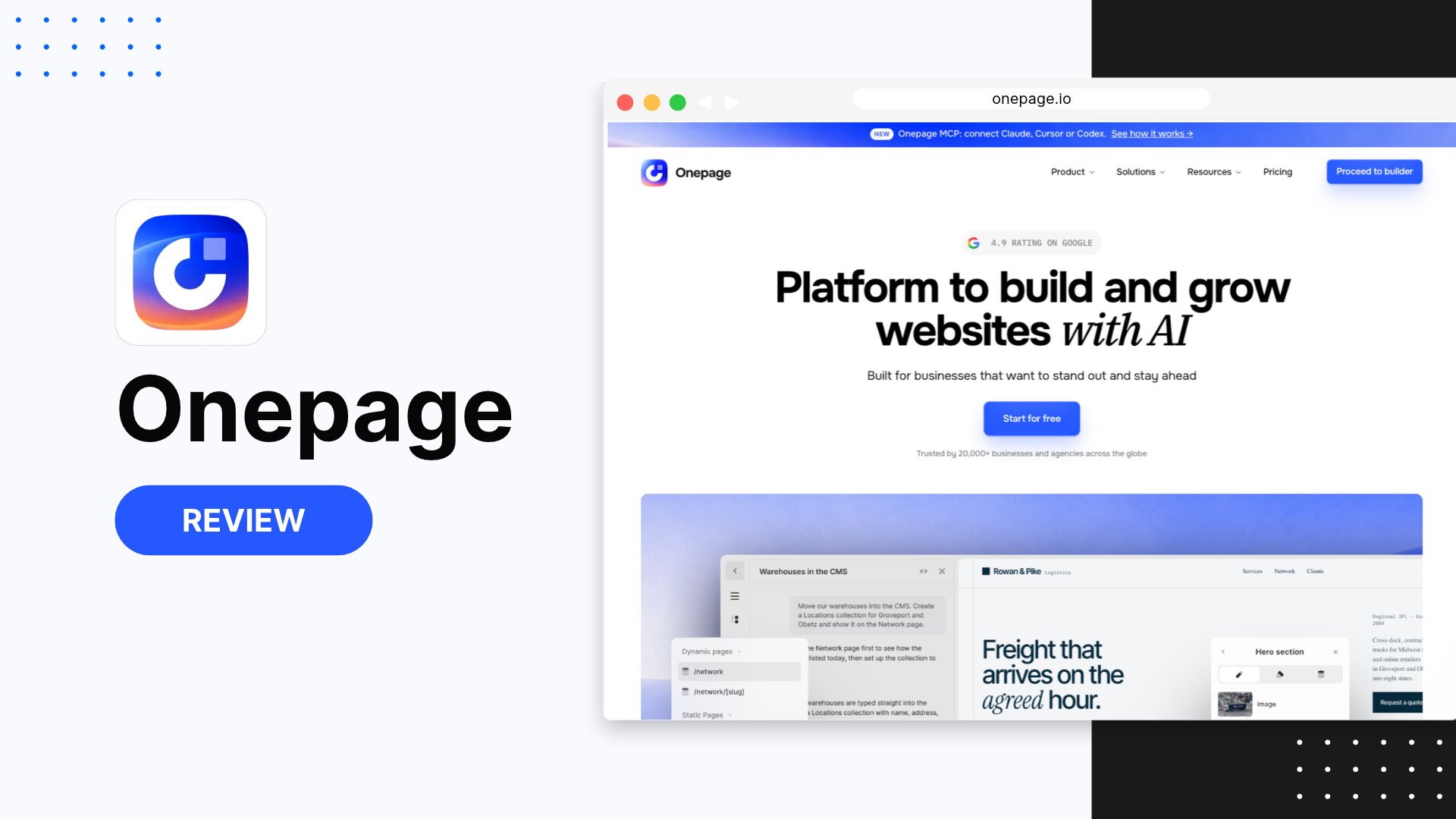
Looking for information on what Onepage is and what its main features are?
If you want to launch your website without hiring a designer and let AI create your first draft, Onepage is the ideal choice for content creators, freelancers, and marketing agencies of all kinds.
You can use AI credits to generate a page within Onepage or connect an AI assistant like Claude to build it for you. Either way, you get a structured, fully editable website that you can customize in the visual editor.
In this guide, you’ll find everything you need to know about this AI-powered website builder: its features, how it works, our verdict, and a detailed breakdown of its plans and pricing.
Onepage Review
I recommend Onepage for small agencies and freelancers looking to build landing pages or small service websites with just a few pages.
What Is Onepage?
Onepage is an AI-powered website builder founded in Germany, designed for creating websites and landing pages focused on sales and lead generation.
It’s simple: you write a prompt describing your business, your offer, and your buyer persona, and you get a complete, well-structured page ready to work on in Onepage’s visual editor, with every section editable from the start. Plus, an AI chat in the dashboard and editor can handle almost any task for you.
Who Is Onepage For?
Onepage is a website builder that suits a wide range of users, from small businesses to marketing agencies that prefer using AI to create landing pages and service pages. Here are some of the users who can get the most out of it:
- Small agencies: Manage multiple clients from a single dashboard, without maintaining a separate WordPress install or other website builder for each one.
- Freelancers and entrepreneurs: Get a professional website up quickly, without hiring a designer or developer. Ideal for personal brands, résumés/portfolios, or local businesses.
- Businesses in Europe: EU-based hosting and cookie banners come built in, so you don’t have to worry about GDPR compliance.
- Personal projects: If you want hosting, a domain, design, development, and AI all in one platform, Onepage is worth considering.
Onepage Pricing: How Much Does It Cost to Build a Website?
First of all, it’s worth knowing that there are two separate plans: the main license, which lets you launch your website on a custom domain, and an add-on for building funnels and forms. Both plans include a free tier to try them out.
We recommend starting with the free plan to get familiar with the platform and build your first project. If you like it, upgrade to the cheapest plan (Essential) when you’re ready to connect your own domain.
Onepage plans are available monthly, for 12 months (up to 25% off) or for 24 months (up to 50% off). This means the entry-level plan (Essential) starts at $9.90 per month with the 24-month plan. Here are the prices for each plan:
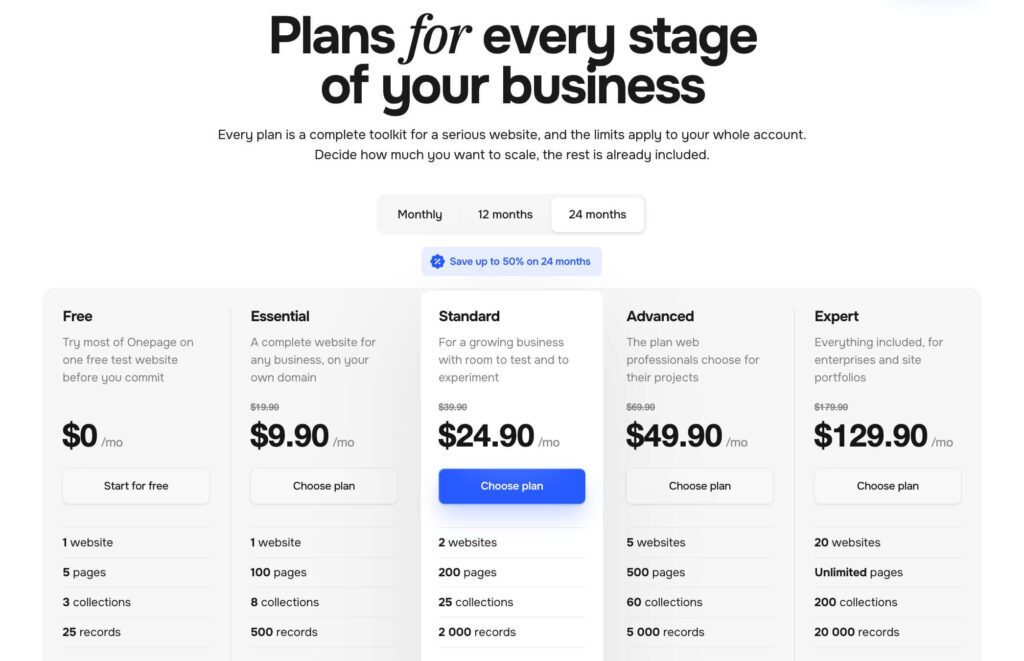
|
Onepage Plan |
Free |
Essential |
Standard |
Advanced |
Expert |
|---|---|---|---|---|---|
|
Monthly |
Free |
$19.90 |
$39.90 |
$69.90 |
$179.90 |
|
12 months |
Free |
$14,90 |
$29.90 |
$59.90 |
$149.90 |
|
24 months |
Free |
$9.90 |
$24.90 |
$49.90 |
$129.90 |
|
Websites |
1 web |
1 web |
2 webs |
5 webs |
20 webs |
|
Pages |
5 |
100 |
200 |
500 |
Unlimited |
|
AI credits |
20 |
25 |
35 |
50 |
75 |
|
Custom Domain |
No |
Yes |
Yes |
Yes |
Yes |
The Standard plan and above are aimed at agencies managing clients, allowing you to create up to 20 websites under a single subscription.
Other Costs to Consider When Using Onepage
The prices in the table above don’t include other costs worth keeping in mind:
- Forms & Funnels module: Multi-step forms and lead generation quizzes require a separate license, starting at $39.90/month, with designs and templates included. You can try the add-on on its free plan as well.
- AI credit usage: Every time you generate or regenerate a section, it uses up credits, so heavy use of vibe coding can burn through your monthly quota faster than expected, especially on the lower-tier plans.
- AI assistant: The MCP connection doesn’t replace your AI assistant subscription, so if you use Claude, you’ll need to keep that subscription on top of your Onepage plan.
Onepage Key Features
Now that we’ve covered what Onepage is and its main plans, let’s take a closer look at the features that make it one of the best alternatives to Wix and other website builders.
AI Website and Landing Page Builder
To start building websites with Onepage, you can choose one of its pre-designed templates or generate your page with AI. You can also pick a starter kit based on the type of website you want to build, such as a service business or an agency.
If you choose to create your page with AI, a single prompt is all it takes to generate a fully editable home, contact, or services page.
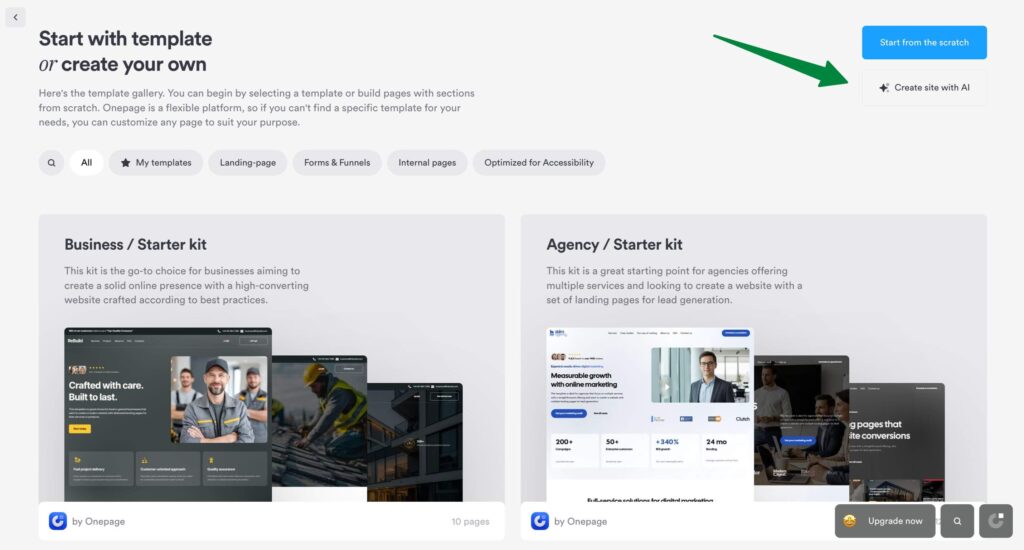
The quality of your first draft will depend on how specific your prompt is, and it’ll help you bring your idea to life without starting from a blank page.
What Can You Do in Onepage’s Website Editor?
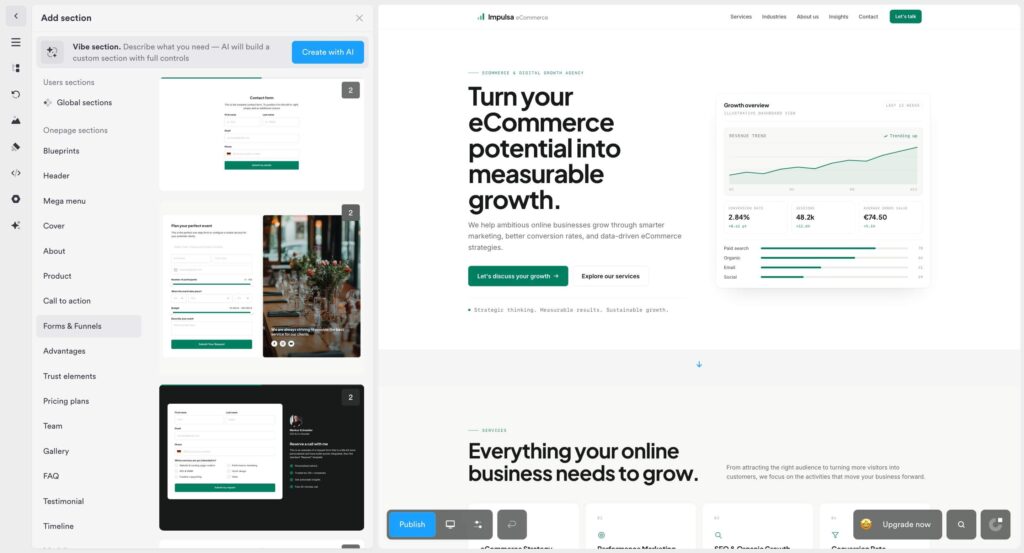
Once your AI-generated website is ready, you can review every section in Onepage’s editor and edit any element with a single click.
You can edit text, colors, images and icons, or even open a new AI chat to redesign the block so it matches your brand.
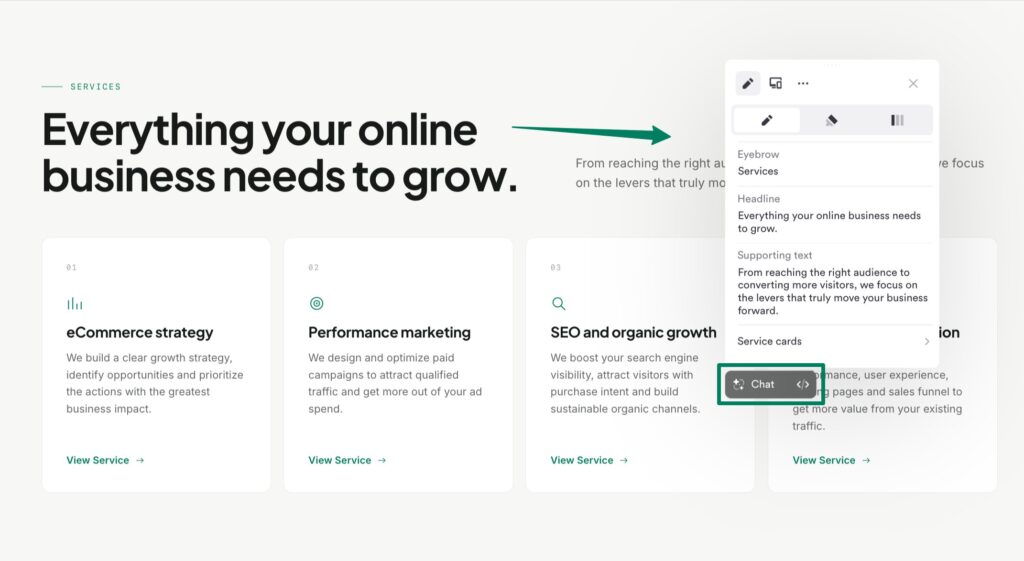
The editor’s left sidebar also gives you access to the following features:
- View the structure of all the sections that make up a page.
- Switch between pages to edit them.
- Manage your media files.
- Customize global styles: colors, fonts, buttons, and forms.
- Add ready-made sections such as headers, testimonials, pricing, FAQs, or contact forms.
- Embed your own HTML and custom code (available on paid plans).
- Generate or rewrite sections with AI from a simple prompt.
- Collaborate with your team or clients (available on paid plans).
What’s more, every page you build with Onepage is responsive, meaning it automatically adapts to desktops, tablets, and mobile devices.
In the editor, you can switch between desktop and mobile view to preview your site on each device, and hide specific sections on either version if needed.
Homepage and Landing Page Templates
Besides building your website from scratch, you can also use one of its homepage templates if you’re stuck and don’t know where to start.
Depending on your needs, you’ll find templates for local businesses (law firms, beauty clinics, cleaning services, auto repair shops), agencies, résumés/portfolios, or promoting a digital product, conference, or podcast.
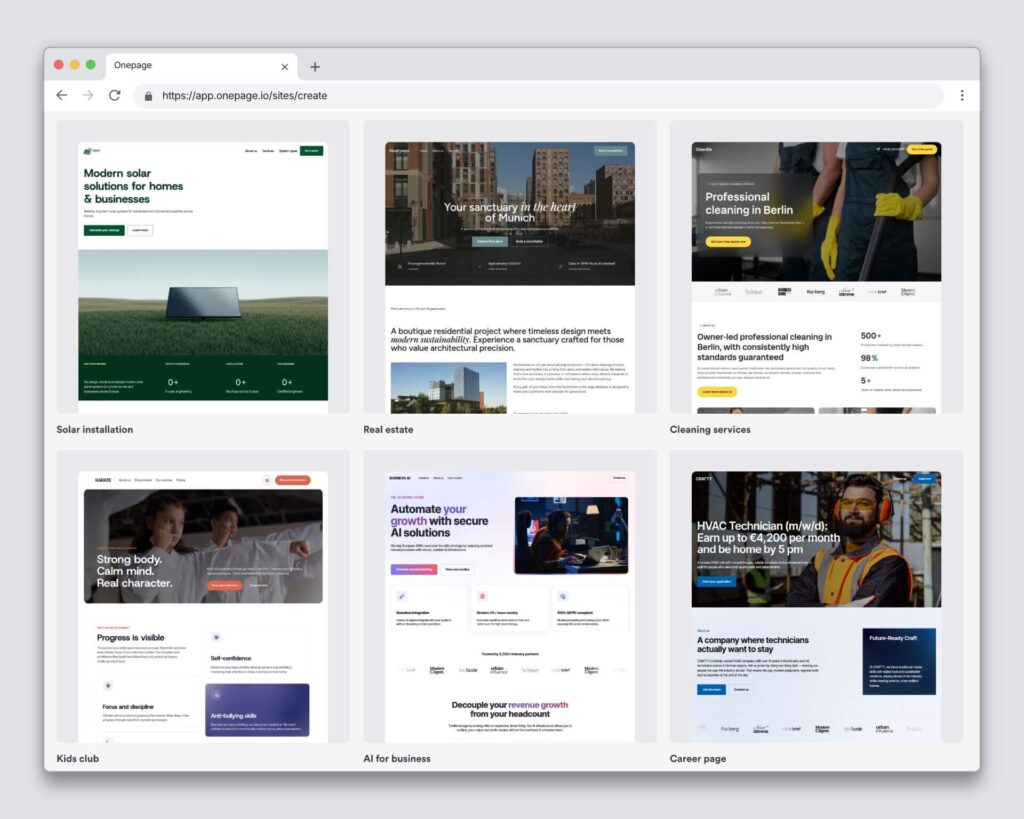
You can also add inner pages (contact, about us, service details, legal notice, etc.) with sections where you can swap out images, text, animations, and other elements right in the editor.
MCP Support
Onepage supports MCP, the protocol that lets you connect AI tools like Claude or Cursor directly to the platform and work on it from the chat. To do this, you’ll need your own account with the AI tool, where you can connect through its connector directory (see the Claude example below).
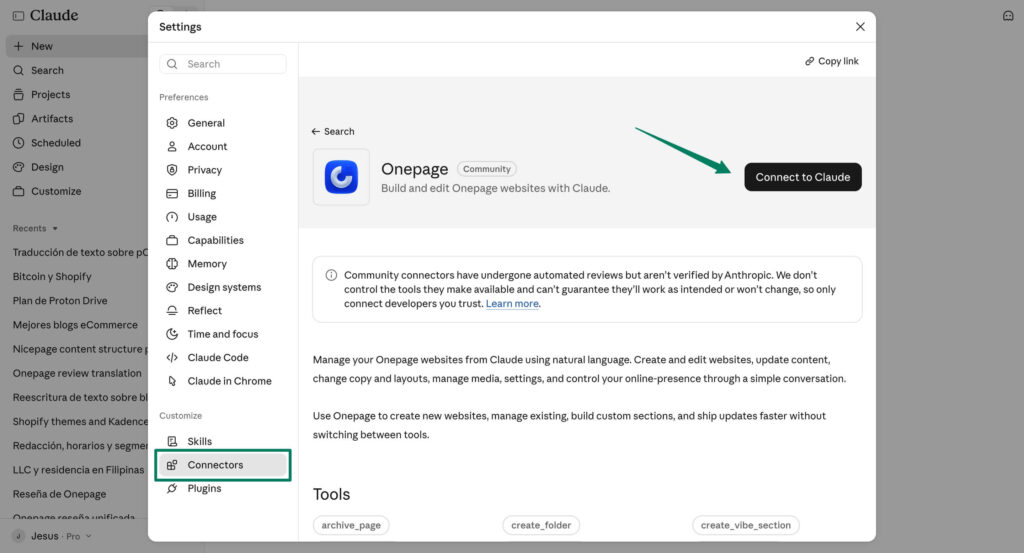
This feature is available on paid plans and doesn’t use your AI credits.
Onepage Integrations
From the Onepage dashboard, you can integrate dozens of apps, such as HubSpot, Telegram, Quentn, Google Maps, or Meta Pixel. And if Zapier or Make is part of your workflow, you can connect your automation funnels through them, making it easy to link any email marketing platform or other software you already use.
- Email marketing: Connect an email marketing tool or send emails directly from Onepage using custom templates (requires the Advanced plan or higher).
- Built-in CRM: Store and manage your contacts without needing a complex CRM platform.
- Built-in analytics: Track how many visitors you get, which country and city they come from, your traffic sources and your conversion rate.
CMS, blog and AI agent
With its latest version, Onepage is no longer just a website builder: it now includes a native CMS. You can use it to create a WordPress-style blog with collections and custom fields (text, images, galleries, videos, dates and more). This lets you expand your website without leaving Onepage or installing SEO plugins, since you can edit the SEO title and description for each entry as well.
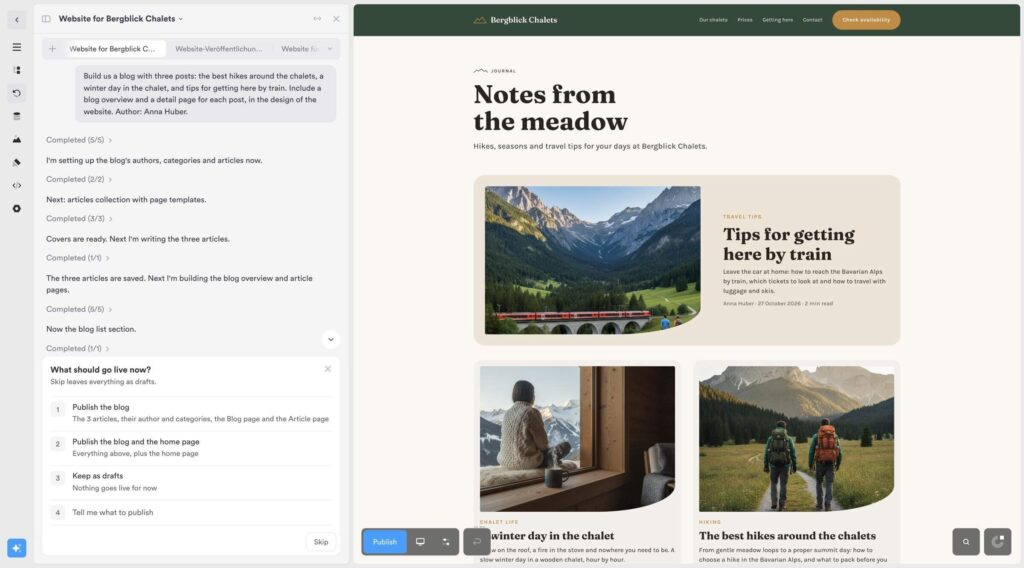
On top of that, there’s Onepage Agent, an AI chat built into the dashboard and editor. It can build a complete blog from a single prompt or generate custom sections and features as code. Onepage also remains compatible with Claude, ChatGPT and Cursor via MCP, now including CMS collections.
SEO
SEO is one of the most important strategies for driving traffic to a website, and Onepage brings together all the settings you need to get your site showing up on Google.
You can set your site name, preview how your site will look in Google search results, and turn off indexing until it’s ready.
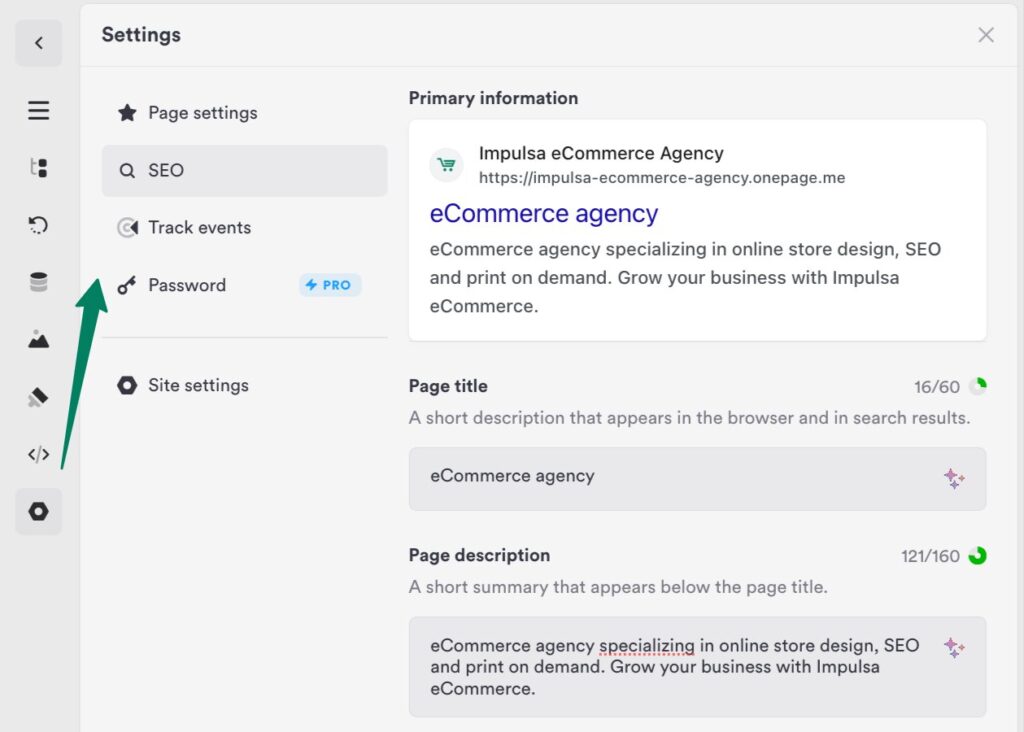
In your account’s general settings, you can also connect Google Search Console and Google Tag Manager, generate sitemaps and structured data, or automatically set up robots.txt and llms.txt files to control how AI bots access your content. There’s also a section for creating 301 or 302 redirects, which helps preserve your SEO and avoid broken links.
If you’re new to SEO, you can leave everything on autopilot: Onepage handles the technical side, so you can focus on your content.
Security and GDPR Compliance
As a company founded in Germany, Onepage is GDPR-compliant by default.
Its infrastructure and servers are based in Europe, and the main license includes features that other website builders charge extra for or require a third-party app for, such as cookie banners with consent categories, available on the Essential plan and above.
Onepage Pros and Cons
Here are some of the pros and cons we found after testing Onepage and its features.
Pros
Cons
Onepage vs. Alternatives
The best Onepage alternative depends on how complex your funnels are, how much design flexibility you need, and which third-party integrations you rely on.
Onepage vs Wix
Both Wix’s AI website builder and Onepage generate pages from AI prompts. However, Onepage goes a step further with MCP support for Claude and Cursor, plus section-by-section content generation, which results in better-structured pages that are easier to edit.
In our tests, Onepage’s editor also proved faster than Wix’s, especially when working with lots of animations. On the other hand, Wix offers a much larger App Market for third-party integrations, along with hundreds of website templates.
Onepage vs. WordPress
In our experience, WordPress offers more flexibility thanks to its huge library of plugins and themes. The trade-off is constant maintenance: core updates, security patches, and keeping an eye on everything you install.
For landing pages, marketing sites, and sales funnels, Onepage saves you a lot of maintenance work since it’s a fully hosted platform. For blogs or complex websites, WordPress is the better choice.
Onepage vs. Hostinger Website Builder
Finally, Hostinger Website Builder is one of the most affordable options on the market ($4.99/month for the first year) and also includes AI page generation, steadily gaining market share among users who need a simple website up and running quickly.
However, it’s less geared toward sales funnels and managing multiple clients. So if you’re an agency or team that needs landing pages, forms, and funnels all in one place, Onepage is probably the better fit.
For more options, check out our ranking of the best website builders or our dedicated list of AI website builders.
Onepage Customer Support
When we signed up and explored Onepage’s support options, we found a quick-start guide that walks you through creating your first project.
You can also book a free session with their team to get a walkthrough of the main features and answers to your specific questions.
We also found a YouTube channel and a help center covering the most common user questions, from connecting a domain to building pages and using AI features. If you get stuck, you can email their support team or start a live chat during business hours.
Overall, reviews on sites like Trustpilot, G2, and Capterra are very positive about its support, highlighting fast response times and real people offering tailored solutions for each case.
What Do Users Say About Onepage?
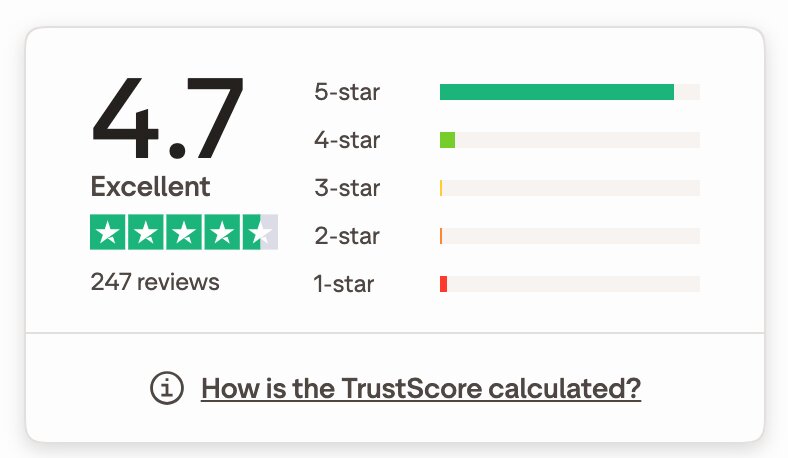
To round out my own assessment in this Onepage review, I also checked what users say on Trustpilot, one of the leading review platforms, where Onepage has over 240 reviews and a 5-star rating.
Users praise Onepage’s clean, intuitive interface with no unnecessary clicks, and say it lets them create modern-looking websites in no time.
“I’ve tried several landing page builders, but Onepage.io really stands out. The interface is super clean, everything is intuitive, and you can create great-looking pages in no time.” — User review on Trustpilot.
“Onepage is super intuitive and offers tons of options for building professional websites. With the new MCP and Claude integration, working with it is really smooth and fast.” — User review on Trustpilot.
Verdict: Is Onepage Worth It?
After analyzing Onepage’s strengths and limitations, I can say it’s a solid alternative to the usual website builders (Wix, Squarespace, or WordPress). It’s a great fit for small businesses, consultants, and freelancers who need to build landing pages and sales funnels.
My experience with the platform has been very positive, although there’s a bit of a learning curve, and the more specific your prompt, the better your results.
The combination of built-in AI and MCP support for Claude saves you time when creating landing pages, while still letting you fine-tune every page in the editor. On top of that, its new native CMS and blog complement the core website without the need for a second tool.
However, it may not be the best choice for online store owners or anyone looking to build a larger, multi-page website.
We hope this Onepage review helps you make the right decision. Good luck with your project!
Onepage Review [2026]: Is This AI Website Builder Worth It?

Onepage Review 2026: We tested it firsthand to see if it's a good choice for building your website, comparing user reviews, pros, and cons.
Price: 9.90
Price Currency: USD
Application Category: Website Builder
4.4
Onepage Review FAQs
Finally, here are some of the most common questions people ask about Onepage.
Can I use Onepage for free?
Yes, Onepage offers a free plan that includes 1 website project, 5 pages, and 20 AI credits. However, you can’t connect a custom domain.
Is Onepage GDPR-compliant?
Yes, Onepage is a website builder founded in Europe and hosted on European servers. It also includes a built-in cookie banner, so there’s no need to install plugins.
Which is better, Wix or Onepage?
It depends on your needs. Wix is better suited for larger websites with lots of pages, while Onepage excels at conversion-focused landing pages and service websites, with AI generation, MCP support, and built-in GDPR compliance.
Who uses Onepage?
Onepage is aimed at freelancers, service businesses, and small marketing agencies that want to launch sales or service pages quickly, without hiring a designer.
How much does Onepage cost?
Onepage has a free plan and four paid plans, which you can pay for monthly, for 12 months (up to 25% off) or for 24 months (up to 50% off). The cheapest is Essential, starting at $9.90/month with the 24-month plan. Pricing depends on the number of websites, pages and AI credits you need, among other features.
Notice: Impulsa eCommerce is supported by readers. If you purchase through a link on our site, we may earn a commission at no cost to you. See more.


