
Wix Review 2026: Is It Still One Of The Best Website Builders?
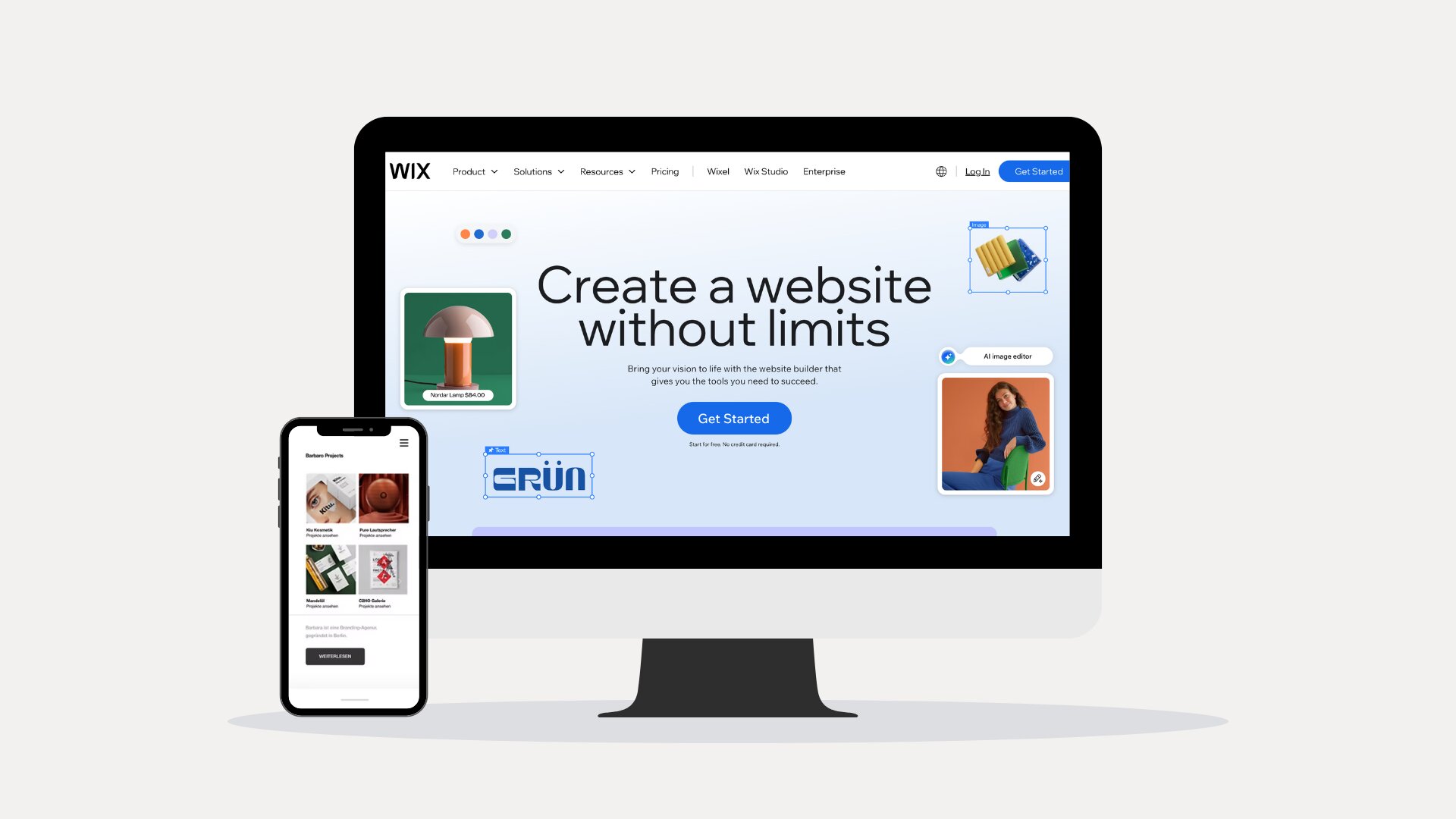
Wix is the website builder with the largest market share worldwide. It has more than twice as many users as its main competitor, Squarespace.
But does it mean that it is still one of the Best Website Builders? Is it a good option for small businesses and entrepreneurs? What AI tools does it offer for creating a website?
In this Wix review, we share the positive aspects and areas for improvement after testing and analyzing this website builder. Keep reading to know more!
Wix Review
Wix is a reliable solution for creating a professional website, selling your services, and securely accepting online payments.
It’s an ideal option for entrepreneurs, individuals, and small local businesses.

What is Wix?
Wix is a website builder for businesses and companies of any size. Being a cloud-hosted solution, you don’t have to worry about web hosting or a high budget to design your own website professionally.
Everything you need to create a website in Wix is provided by the platform, such as its editor, hundreds of templates, SEO features, its own payment gateway, and native apps with the most popular online marketing and sales tools.

Get 50% off Premium plans
Subscribe to one of Wix’s premium plans and get 50% off and a free custom domain for 1 year (annual plans only).
What can you build with Wix?
Some examples of websites created with Wix include hotel websites, restaurants, online stores, ticket sales or reservations, etc.
- Restaurants: Create menus, a delivery service, and an online reservation system.
- Music: Sell and distribute your music with the audio players that Wix integrates into your website.
- Reservations: Add appointments and bookings for classes and workshops, accept payments, and send email reminders to your customers.
- Events: You can sell tickets and passes for a specific event, create a guest list, and send email reminders.
- Art: Sell your digital images (with or without watermarks), print-on-demand products, or digital licenses.
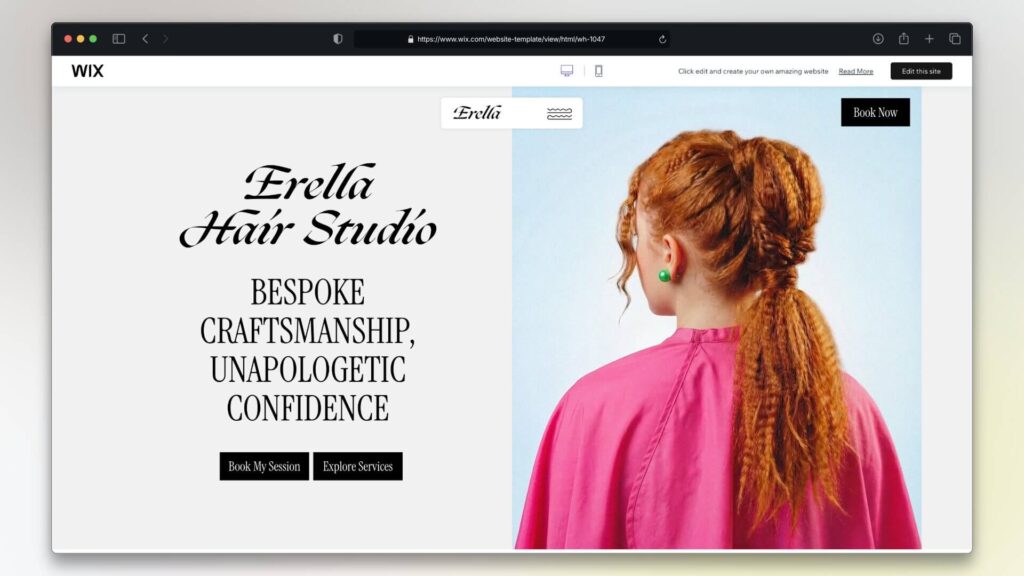
We recommend Wix if you need a basic website or plan to create an online store with a few products. It’s more than enough for small businesses with little web design experience.
Wix Pricing
Wix pricing is divided into four premium plans for different needs, whether you want to create a professional website or sell and accept online payments.
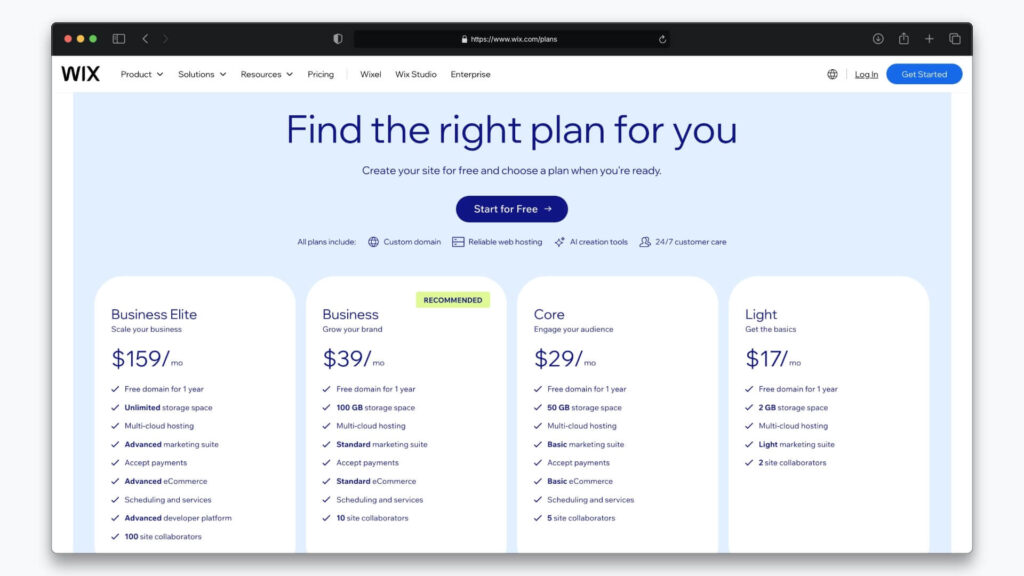
Website Plans:
- Light Plan – $17/month: Create and publish a basic website, such as a portfolio or corporate site, with a free domain for 1 year.
eCommerce Plans:
- Core Plan – $29 / month: Accept payments and add essential eCommerce, marketing, and analytics tools for up to 5 collaborators.
- Business Plan – $39 / month: Standard eCommerce features to expand and grow your brand with up to 10 collaborators.
- Business Elite Plan – $159 / month: All-in-one solution with the most advanced eCommerce, marketing, and analytics features.
Enterprise Plan: designed for large-scale businesses, with custom solutions requiring unlimited storage space and a customized package.
👉 For more information about how much you’ll pay for each plan, visit the Wix pricing and plans guide.
How does Wix work?
Once we’ve reviewed what Wix is and its plans and pricing, it’s time to learn how it works.
Wix Templates
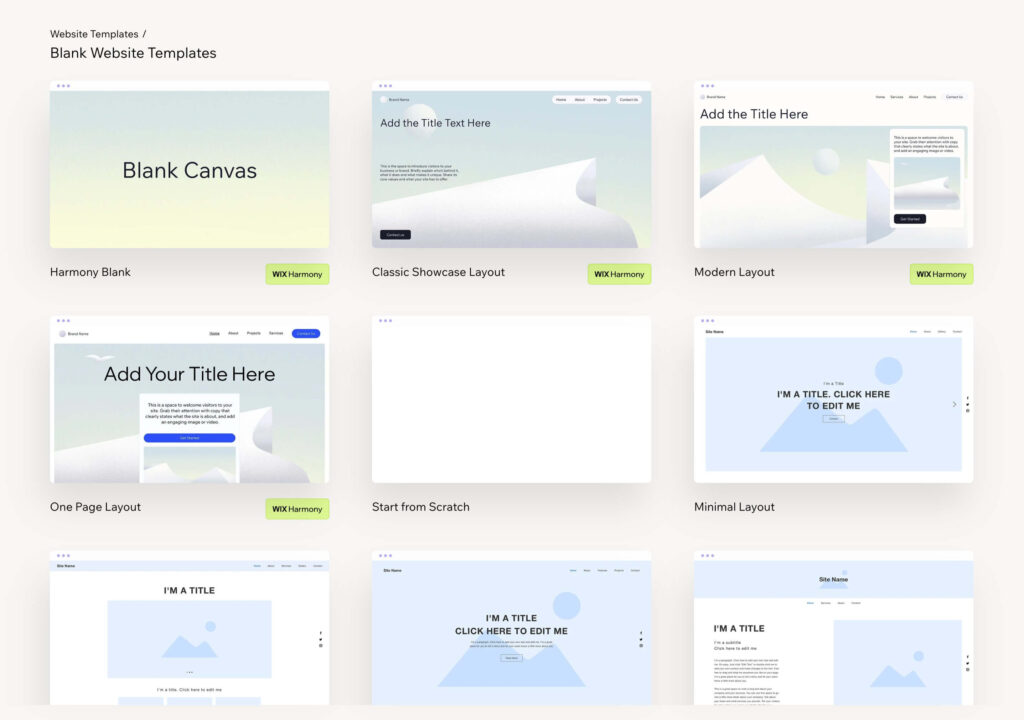
Wix has hundreds of web templates to design your website. Some templates are multipurpose, and others are designed for a specific industry.
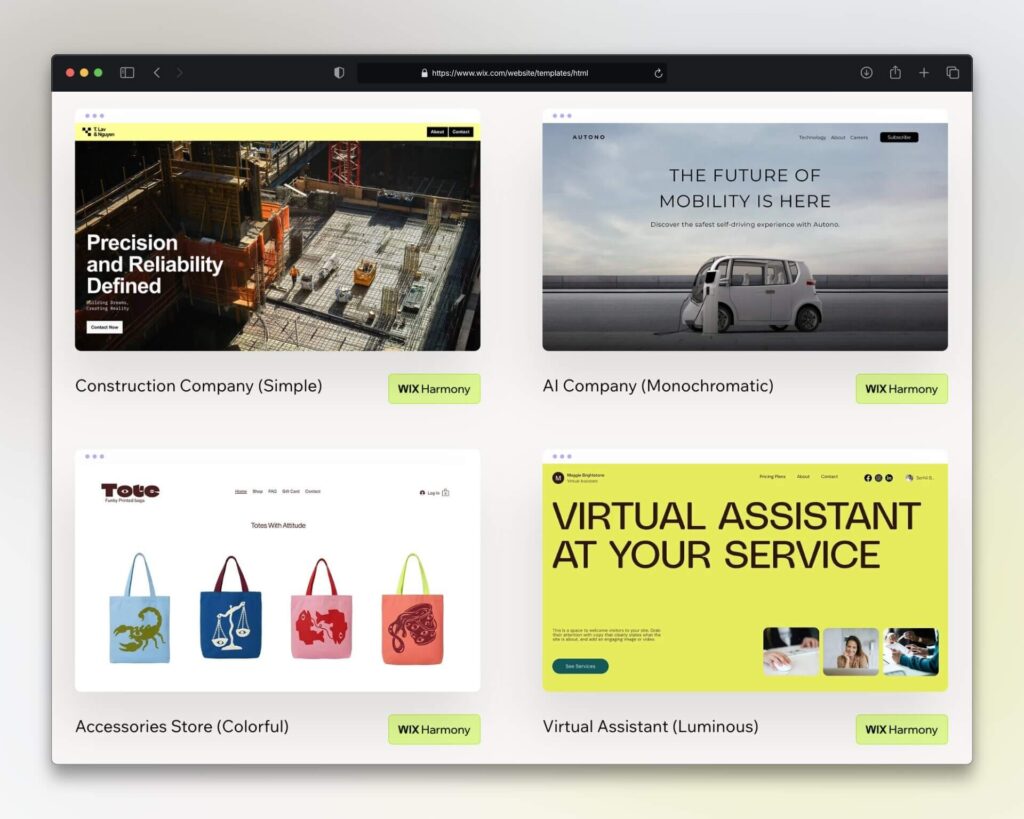
In addition to the different pre-designed templates, Wix offers 7 blank templates if you want to design your website or online store from scratch.
Wix Editor
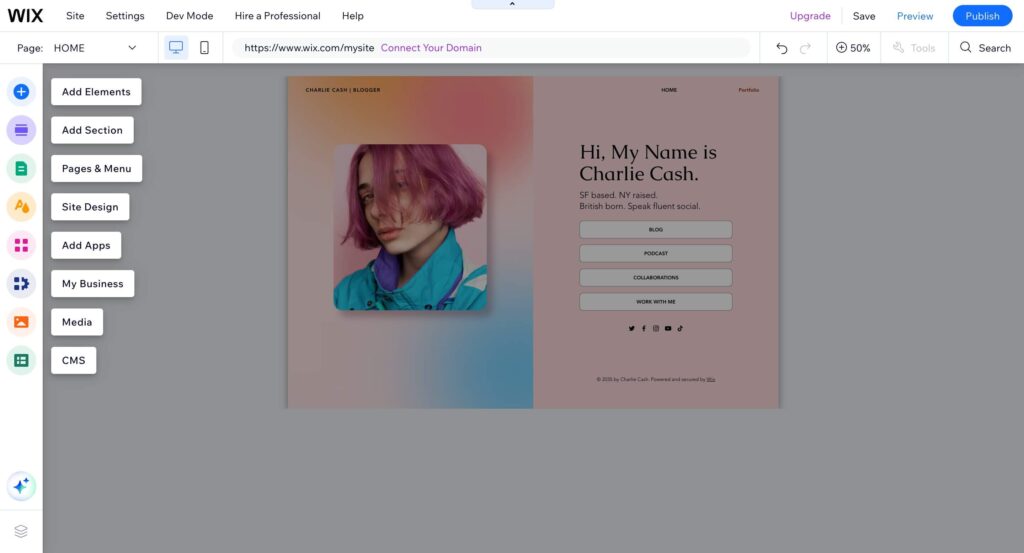
The highlight of Wix is its drag-and-drop visual editor. Within its editor, you can:
- Add elements (images, buttons, animations, social media, forms…).
- Add sections (such as FAQs anda contact form).
- Design pages and the main menu.
- Site design (theme, typography, colors, background, and page transitions).
- Add third-party apps and tools.
- Manage your business with Wix’s native apps.
- Add multimedia files.
- Manage your website content.
On the other hand, Wix templates have both desktop and mobile versions.
You can customize both the desktop and mobile versions of your Wix site and hide or add elements only to one or the other, as appropriate.
Keep in mind that changes you make to the desktop version may not automatically sync with the mobile version, so I recommend always reviewing both versions from the Wix Editor.
Create a Blog on Wix
In addition to offering a web platform, Wix includes everything you need to create a blog and connect with your audience through guides and tutorials about your services or products.
You can easily add and format text, insert images, and create new posts with the drag-and-drop editor.
Additionally, there are built-in tools to help you manage your blog and share it with your audience, including social media integrations, email marketing, and SEO.
However, if your initial idea with Wix is to create a blog, I would choose a different CMS platform, such as WordPress, with specialized SEO plugins.
SEO
SEO aims to increase a website’s search engine traffic.
Wix goes beyond other website builders in terms of SEO features. Here’s a summary of Wix’s main SEO features:
- Meta Title and Description: fully customizable for each page.
- 301 Redirects: You can add them one by one or create bulk redirects from a CSV, which is great.
- Structured Data Markup: While Wix automatically adds structured data, you can also add it manually on static pages.
- SSL Certificate: essential for accepting online payments and transmitting security.
- Open Graph Tags: useful for previewing social media cards.
- Dynamic XML Sitemaps: Wix automatically generates and submits an XML sitemap to Google.
If all this sounds a bit strange to you, you can add the SEO Wiz tool for free and access best practices to rank in Google’s top positions.
👉 Looking for alternatives? Discover the best Wix alternatives.
App Market
Wix is one of the website builders with the most apps and integrations available to add new functionalities.
We can divide them into two: Wix native apps and third-party apps.
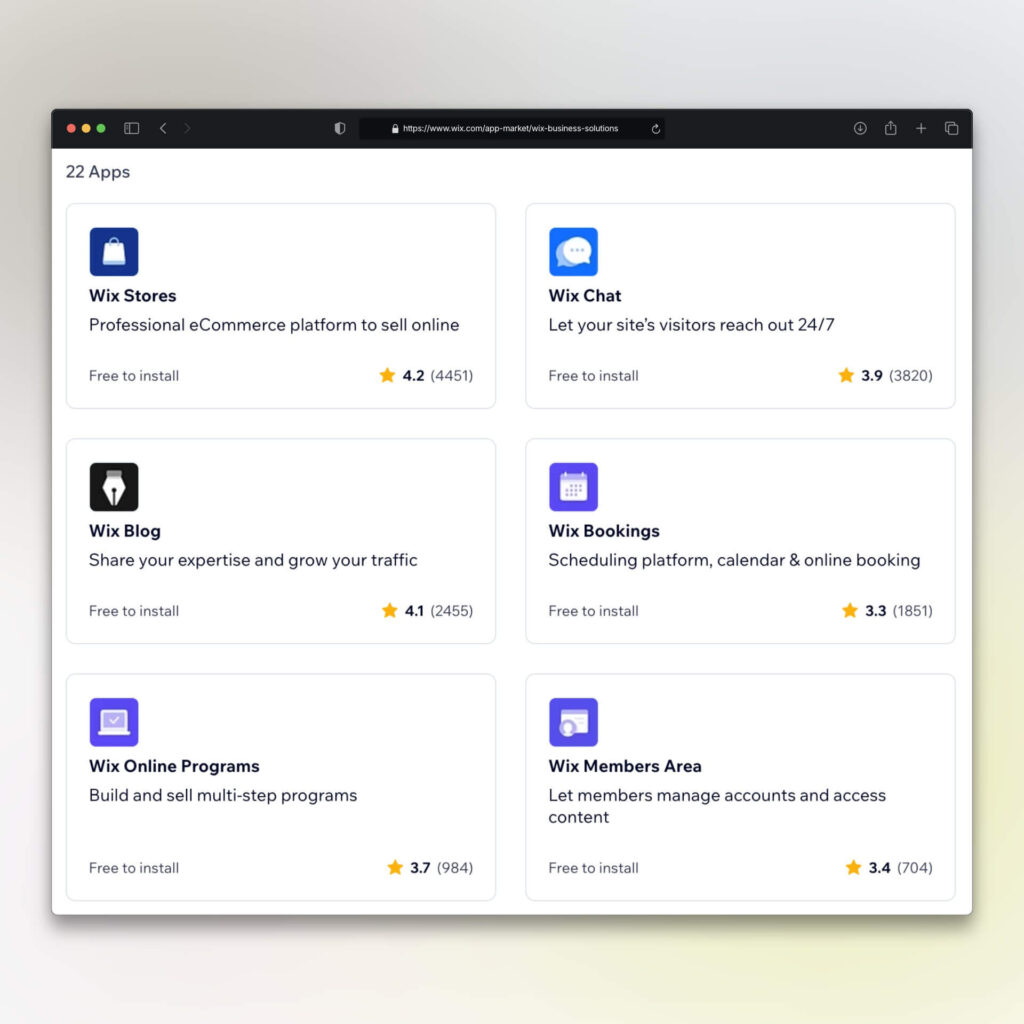
Among Wix’s free native apps, we highlight:
- Wix Chat: Live chat to assist your visitors 24/7, even from your mobile, with contact forms when you’re offline and a design aligned with your brand’s chat window.
- Wix Bookings: schedule classes, appointments, workshops, and more, with the ability to create monthly subscriptions and send email reminders.
- Wix Stores: Everything you need to create a professional online store and sell across multiple social channels like Facebook and Instagram.
- Wix Restaurants: create restaurant menus, accept online orders, and make reservations.
- Wix Events: create email event invitations, track RSVPs, and even sell tickets on your website.
- Wix Blog: Create a blog with built-in SEO tools to promote your website or online store.
On the other hand, Wix offers hundreds of third-party apps across categories such as marketing, online sales, services, events, and communication.
👉 Visit our guide with the best eCommerce apps for Wix.
Wix Stores Review
Is the app Wix Stores good for creating an online store?
In my opinion, if you already have a Wix-hosted website and want to start selling online with a small store, Wix could be a good fit. If your idea is to create an online store from scratch, I would choose Shopify.
I see Wix eCommerce more as a complement for selling and accepting online payments than as an all-in-one eCommerce solution.
If you want to dive deeper, check out our comparison of Shopify and Wix.
Now, compared to other website builders like Squarespace or Webnode, I would definitely choose Wix for its integrations and features (discounts, point-of-sale, tax and shipping calculations, dropshipping providers, print-on-demand companies, etc.).
Finally, Wix Payments is the native payment solution for accepting online payments via debit and credit cards, digital wallets like Apple Pay, and other popular payment methods.
Customer Support
Wix support seems very comprehensive to us and, best of all, it’s in English. Through its Help Center, you can find information from first steps to managing and promoting your site, including FAQs, screenshots, and video tutorials.
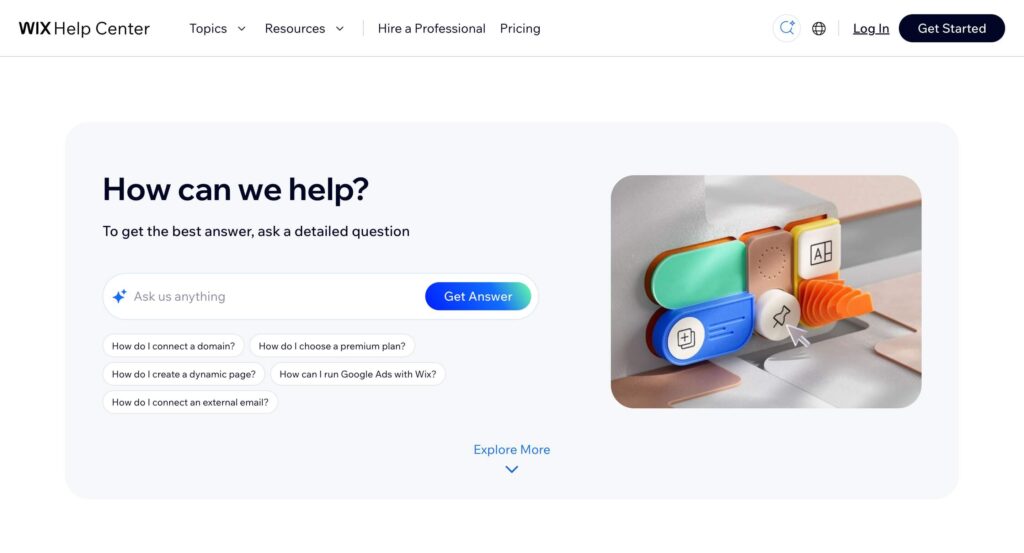
In case you need technical assistance, you can contact Wix’s English-language support team, which, on higher plans, also includes phone support.
Wix reviews and user experiences
To help you make a decision, we’ve collected experiences and opinions from real Wix users on the Trustpilot online review platform, where Wix has an average rating of 4.1 out of 5, based on more than 25,000 reviews.
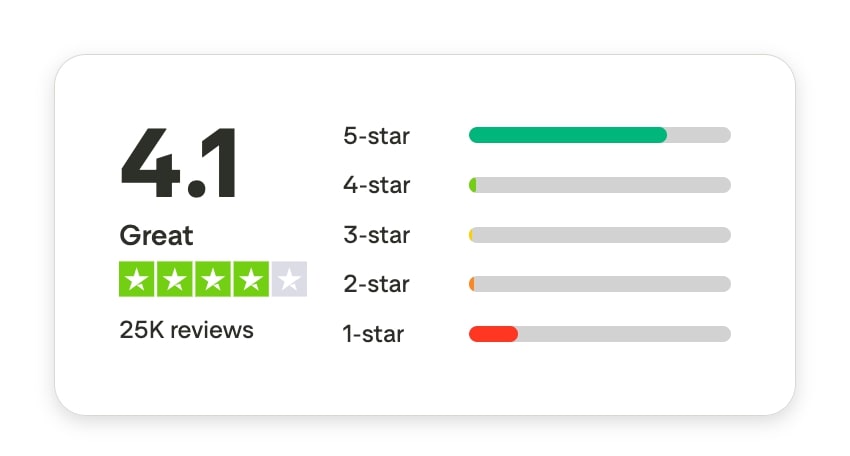
Trustpilot users often comment that Wix stands out for its ease of use, both for beginners and advanced users. Additionally, the customer service team is always willing to help with any specific issues.
“Every feature you need and more, with great customer support from IT professionals.” — User review on Trustpilot.
“Thanks to Wix, I can develop websites without programming, and the experts are always there to support me. They have excellent service. ” — User review on Trustpilot.
“Wix is very easy to use and customer service is impeccable! I recommend everyone use this platform to have their website! ” — User review on Trustpilot.
However, not everyone is happy with Wix, especially given its limited scalability options and subscription plan price increases driven by new improvements and platform features.
“I think it’s a good platform to create a basic website, but it lacks more advanced features.” — User review on Trustpilot.
“I’ve been using Wix for 2 years, nothing to complain about, everything worked well. I’m canceling because they’ve now raised the subscription price.“— User review on Trustpilot.
Wix Pros & Cons
After testing Wix and reviewing real opinions from platforms like Reedit, we outline its main Pros & Cons so you can draw your own conclusions.
Pros
Cons
Wix Review FAQs
Here we answer some of the most frequently asked questions about Wix Reviews.
How many products can I upload to Wix?
With Wix, you can upload up to 50,000 products and manage 1,000 variants per product, more than enough for any online store, no matter its size.
Is Wix good for SEO?
Wix has been revamped in recent years with powerful SEO tools, such as 301 redirects, structured data, editing meta descriptions and titles, or the website’s sitemap.
What is better than Wix?
In the website builder category, we believe Wix is better than Squarespace, Webnode, and other website builders. However, if your initial idea is to create a blog or an online store, we think it’s better to use WordPress (blog) or Shopify (online store), as they are more specialized solutions for those types of businesses.
Can I use Wix for free?
Yes, you can use Wix for free when you sign up to try the platform. However, you won’t be able to connect a custom domain, which includes the Wix watermark, and web storage space is very limited.
Is Wix secure?
Yes. Wix is a secure platform thanks to its security standards, which include a built-in SSL certificate and protection against DDoS attacks, malware, and other cyber threats.
Wix Discount: How to save 50%?
For those interested on subscribe to any of the Wix premium plans, you can get 50% OFF on selected plans if you purchase at least 1 year of subscription. Plus, you get 1 free domain for 1 year! You can see more details on our Wix Discount Guide.
Conclusion: Is Wix worth using?
Would I recommend Wix for creating websites? It depends.
Wix is a professional solution with a wide range of features and a drag-and-drop editor that offers more flexibility than other website creation tools like Squarespace, but it also requires continuous learning.
I recommend it for users who need a professionally designed website or an online business in any sector, regardless of company size.
I encourage you to explore Wix’s potential for creating a website.
That’s it for our Wix Review! Have you tried Wix, or do you have more questions about this website builder? Do not hesitate to contact us to share your experience!
Wix Review 2026: Is It Still One Of The Best Website Builders?

Wix Review: Is it the best option for creating a website in 2026? Find the pros and cons of the Wix editor. ➤ Complete analysis.
Price: 17
Price Currency: $
Application Category: Website Builder
4.5
Pros
- Intuitive editor and design tools
- Powerful SEO tools
- Hundreds of integrated apps
- Reliable and secure solution
Cons
- Limited eCommerce features
- Changing templates when the website is live
Notice: Impulsa eCommerce is supported by readers. If you purchase through a link on our site, we may earn a commission at no cost to you. See more.
